A good portfolio website does one job: it puts your best work in front of the people who might hire you, and makes it easy for them to get in touch. WordPress is still one of the most practical ways to build one, because you own the site, you can grow it for years, and you are not locked into a monthly website-builder plan.
This guide walks through the whole process, from choosing a domain to publishing your first case study. You do not need to write code. If you can install an app on your phone, you can build a portfolio site with WordPress.
What you need before you start
- A domain name, ideally your own name or studio name (for example yourname.com).
- WordPress hosting. Most hosts offer one-click WordPress installation.
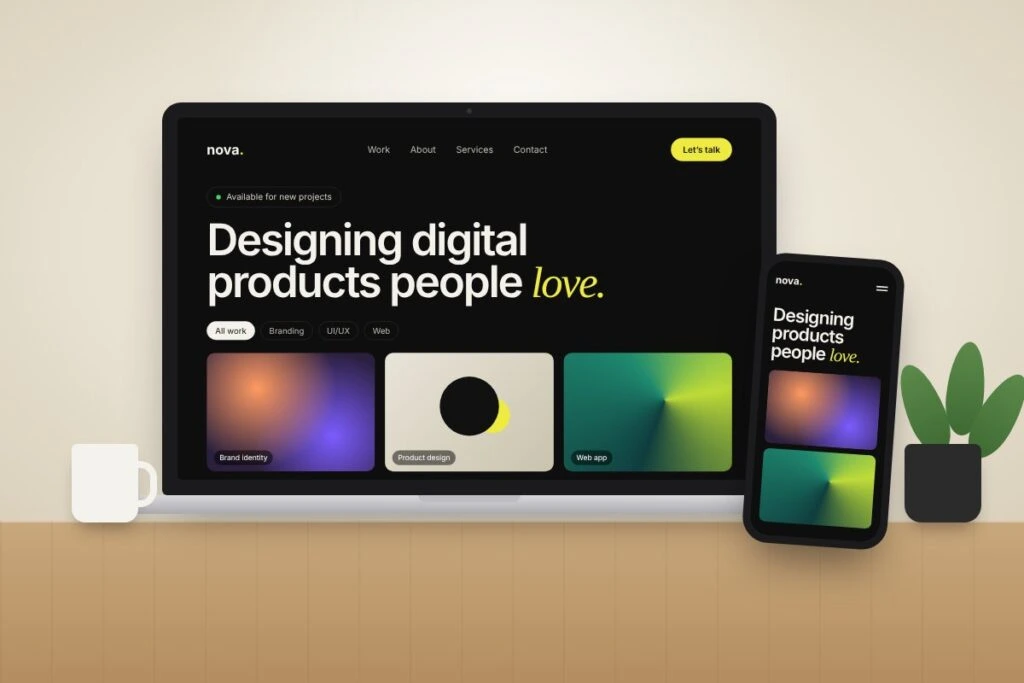
- A portfolio theme that already has project pages, a filterable grid and a contact page.
- Your work: 6 to 12 of your strongest projects, with images and a few lines about each.
Fewer, better projects beat a long list. A visitor decides in seconds whether your work fits what they need, so lead with the pieces you are proudest of.
Step 1: Choose a domain and hosting
Pick a domain that is short, easy to spell and easy to say out loud. Your own name is the safest choice for a personal portfolio, because it stays relevant even if your services change.
For hosting, look for three things: a one-click WordPress installer, free SSL (the padlock in the browser bar), and daily backups. A small shared hosting plan is enough for most portfolios. You can move to something bigger later if traffic grows.
Step 2: Install WordPress
In your hosting dashboard, find the WordPress installer, choose your domain, and set an admin username and a strong password. Avoid “admin” as the username. When it finishes, you can log in at yourdomain.com/wp-admin.
Before you add anything else, go to Settings → Permalinks and choose Post name. This gives you clean URLs like yourname.com/work/brand-identity, which are easier to read and better for search engines.
Step 3: Pick a portfolio theme built for the job
The theme decides how your work is presented, so it matters more than any plugin. A general-purpose theme can be made into a portfolio, but you will spend days building layouts that a portfolio theme already has.
Look for these features:
- A real portfolio post type, so each project is its own item with categories, not a block pasted onto a page.
- Case study pages with room for the client, date, a link to the live work, a gallery and the story behind it.
- A filterable grid, so a visitor looking for branding work can see only branding work.
- Demo import, so you start from finished pages instead of a blank screen.
- Clean, responsive design that keeps attention on your work, not on decoration.
We wrote a longer checklist in How to choose a WordPress theme you won’t regret in a year. If you want a theme made specifically for this, Truiall is our personal portfolio theme, with case study pages, a filterable portfolio grid and three home layouts.
Step 4: Import the demo and set up the basics
Install and activate your theme under Appearance → Themes, then install the plugins it recommends. Run the demo import, which loads the sample pages, menus and settings, so your site looks like the theme preview.
Then open Appearance → Customize and set the basics:
- Upload your logo, or simply use your name in a clean font.
- Set your brand colours. One main colour and one accent is plenty.
- Add your social links: LinkedIn, Behance, Dribbble or GitHub, whichever your clients actually use.
- Update the footer with your email address.
If the result does not match the demo, the cause is usually a missing plugin or a skipped step. Our guide on what “matching the demo” really takes covers the common fixes.
Step 5: Replace the demo content with your own work
This is the step that turns a theme into your portfolio. For each project, write a short case study rather than just uploading images. A simple structure works well:
- The problem: what the client needed, in one or two sentences.
- Your role: what you did, and which tools you used.
- The process: two or three key decisions, with sketches or early versions if you have them.
- The result: the final work, plus any real outcome you can share.
Delete every demo project you do not replace. Leftover placeholder work is the quickest way to make a portfolio look unfinished.
Step 6: Write a clear About page and Contact page
Your About page should answer three questions quickly: who you are, what you do, and who you do it for. Add a real photo of yourself. People hire people, and a face builds trust faster than any paragraph.
Your Contact page should be simple: a short form, your email address, and an idea of how fast you reply. If you only take certain kinds of projects, say so here. It saves time for you and for the people writing to you.
Step 7: Make it fast
A slow portfolio loses visitors before they see your best project. Image files are usually the cause, so:
- Resize images to the size they are actually displayed, not the full camera size.
- Use modern formats like WebP where your host or theme supports them.
- Install only the plugins you really use.
- Turn on caching, which most hosts offer with one click.
For a deeper checklist, see 7 signs your WordPress site needs a performance overhaul.
Step 8: Basic SEO, so people can find you
You do not need to be an SEO expert, but a few basics help search engines understand your site:
- Write descriptive page titles. “Brand Identity for a Coffee Roaster” says more than “Project 4”.
- Add alt text to images, describing what the image shows.
- Use your location and specialty in your About page if you work locally, for example “UI designer in Dhaka”.
- Submit your sitemap in Google Search Console. WordPress creates one automatically at /wp-sitemap.xml.
- Link between pages, for example from a case study to your Contact page.
Step 9: Check everything, then launch
Before you share the link, run through this list:
- Open the site on your phone and tap every menu item.
- Send yourself a message through the contact form and confirm it arrives.
- Check that no demo text, demo images or placeholder links are left.
- Make sure every project page has a title, images and a short description.
Then share it: add the link to your LinkedIn profile, your email signature and every proposal you send.
WordPress theme or HTML template?
If you want to edit content yourself from a dashboard and add projects over time, a WordPress theme is the better fit. If you are a developer who prefers editing code directly and wants the lightest possible site with no database, an HTML template may suit you better. We compare both in HTML template vs WordPress theme: which one is right for you?
Frequently asked questions
Do I need to know how to code to build a portfolio in WordPress?
No. With a portfolio theme that includes demo import and a page builder such as Elementor, you can build and edit the whole site visually.
How many projects should a portfolio show?
Usually 6 to 12 of your strongest pieces. Showing fewer, well-explained projects works better than a long list of everything you have done.
How long does it take to build a portfolio website with WordPress?
With a ready-made portfolio theme, the setup itself can be done in an afternoon. Writing good case studies for your projects takes longer, and it is the part worth spending time on.
Is a free theme good enough?
A free theme can work, but many lack portfolio post types, case study layouts or a filterable grid, so you end up building those yourself. A dedicated portfolio theme saves that time.
Can someone set it up for me?
Yes. If you would rather not do the setup yourself, our team offers theme installation and customisation. Get in touch and tell us what you need.
Ready to start?
A portfolio does not have to be perfect on day one. Launch with your best few projects, then add new work as you finish it. If you are looking for a theme built for exactly this, browse our WordPress themes and HTML templates.