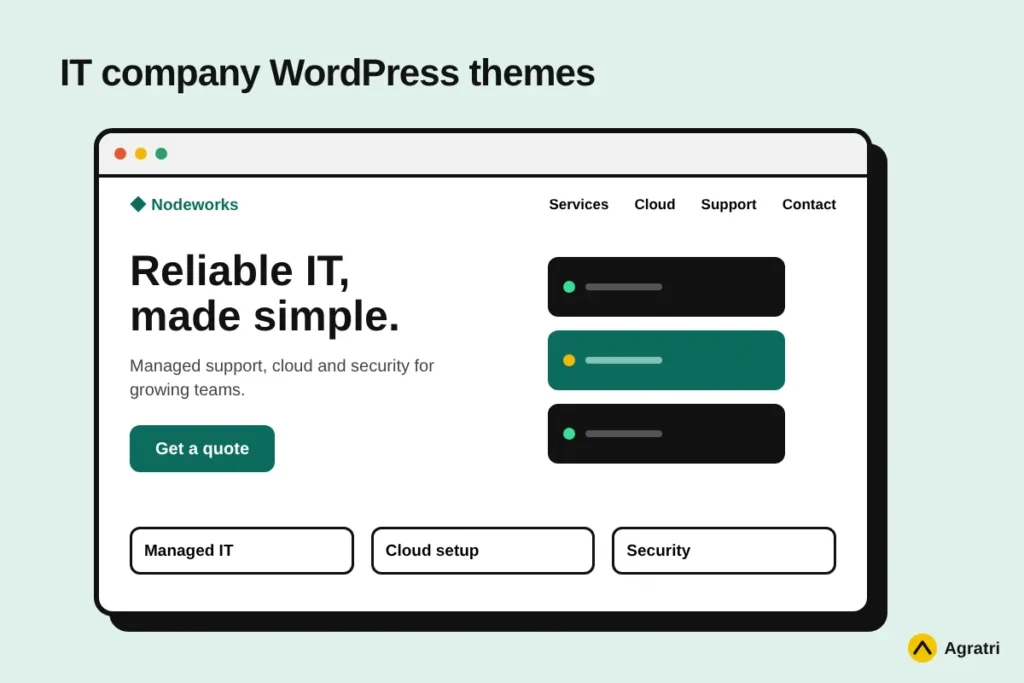
IT company WordPress themes need to do one job above all: show that you can be trusted with technical work. This list covers four themes from the Agratri collection for IT services, software, SaaS and hosting businesses. Each pick has a preview image, a short description, key features and a link to its page.
Choosing a theme is hard because an IT site has a narrow brief. A visitor wants to see your services, understand your process and find a way to contact you. So IT company WordPress themes should make those three things simple. We used that brief to shortlist the four themes below, and we explain each one in plain words.
Who needs IT company WordPress themes
Three kinds of buyers use IT company WordPress themes most. First, managed service providers and IT consultancies need a site that lists services and builds trust. Second, software and SaaS teams need a site that explains a product and drives sign-ups. Third, hosting and domain businesses need pricing tables and a clear order path.
Each group has a different priority. For example, a service provider leads with expertise, while a SaaS team leads with the product. So the right theme for one group may be wrong for another. Keep your own group in mind as you read the picks.
How we picked these IT company WordPress themes
These are picks from the Agratri collection, not an independent ranking. We read every product page and kept only the themes that fit technology businesses. Then we listed only the features each page states.
We checked each theme against five points:
- Fit for IT work, with layouts for services, pricing, team and contact
- A responsive layout that works on phones and tablets
- Demo content or ready-made homepages, so you can start fast
- Visual editing tools, so you do not need to write code
- Room to change colors, fonts and layouts without breaking the design
No theme wins on every point. For example, a theme with many demos gives you more choice, but it also takes longer to learn. So think about your own team and your own services before you decide.
Quick comparison of the four picks
Start with this table, then read the notes on each theme.
| Theme | Type | Best for | Details |
|---|---|---|---|
| Nosei | WordPress theme | IT solutions and services companies | View details |
| Muntech | WordPress theme | IT agencies and technology firms | View details |
| BrightHub | WordPress theme | SaaS, software and tech startups | View details |
| Hostiko | WordPress theme | Hosting companies and domain sellers | View details |
The four picks in detail
Each of these IT company WordPress themes targets a slightly different buyer. Read the short description first, then check the feature list against your own needs. Because every pick uses a visual builder, you can adjust layouts without writing code.
1. Nosei: WordPress theme for IT solutions and services companies
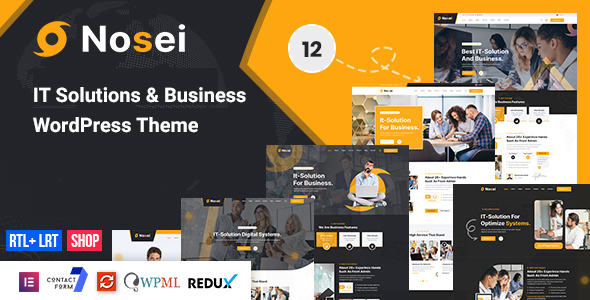
Nosei is one of the IT company WordPress themes built for service businesses. Its page says it covers IT solutions, consulting, software and technical services. It runs on the Elementor page builder, so you can edit layouts with drag and drop.
Setup is quick because the theme includes demo content and a one-click installer. As a result, you can start with a finished layout and swap in your own text. It suits IT service firms, consultants and small software companies.
Key features
- Six or more pre-built websites and 40+ inner pages
- 55+ Elementor elements, plus a mega menu and header and footer builder
- One-click demo installation and Slider Revolution included
- WooCommerce ready, with Contact Form 7 support
- WPML ready, with RTL language support and a child theme
2. Muntech: WordPress theme for IT solutions and technology firms
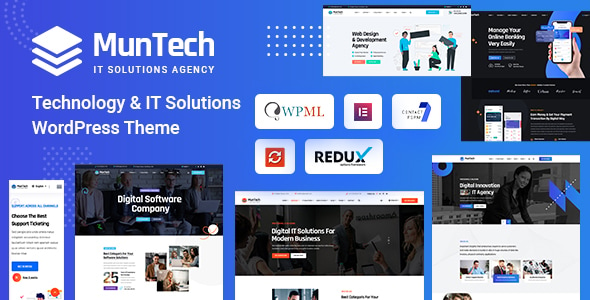
Muntech is aimed at IT agencies and technology companies. Its page lists more than seven demos for IT solution businesses. You can set up any demo in a single click, then replace the sample content with your own.
It also ships with a large set of custom widgets for Elementor. Therefore, you can build service pages, team sections and contact blocks without writing code. It suits IT agencies that want a polished site fast.
Key features
- Seven or more demos for IT solution agencies
- 80+ custom widgets for the Elementor page builder
- Header and footer builder, plus sticky menu and sticky header
- Responsive and retina-ready layouts, with an SEO optimised design
- Contact Form 7 support, WPML ready, RTL support and documentation
3. BrightHub: WordPress theme for SaaS and tech startups
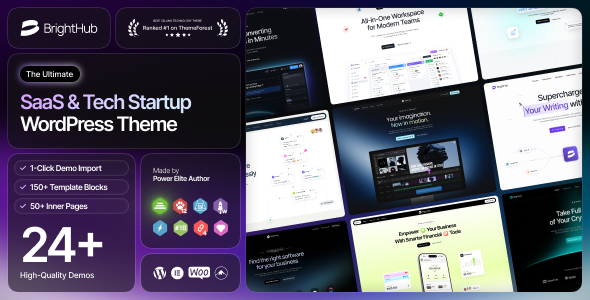
BrightHub is one of the IT company WordPress themes that leans toward software. Its page describes a design for SaaS, software and startup tech businesses. It uses Elementor, so product sections and feature blocks are easy to rearrange.
The package offers both multipage and one-page demos. For example, a young startup can launch a one-page site first and add inner pages later. It suits SaaS founders and small software teams.
Key features
- Pre-built websites in multipage and one-page versions
- 25+ inner pages and 50+ Elementor elements
- 12+ header templates and 12+ footer templates, plus a mega menu
- One-click demo installation, with Slider Revolution included
- WooCommerce ready, WPML ready and a child theme included
4. Hostiko: WordPress theme for hosting and WHMCS businesses
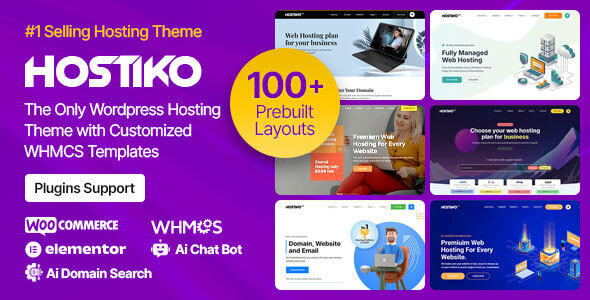
Hostiko is built for web hosting companies, domain sellers and other technology businesses. Its page lists layouts for VPS, shared and dedicated hosting. It also lists pricing tables, which matter a lot on a hosting site.
The theme goes further than most because it connects to WHMCS. Its page mentions matching WHMCS templates and an automatic product import. If you also read our notes on a WHMCS WordPress theme, this is the pick to look at first.
Key features
- 100+ pre-built demo variations for hosting sites
- WHMCS templates for each layout, plus automatic WHMCS product import
- Pricing tables, TLD tables and a VPS price slider
- Advanced domain search and an AI domain name generator
- Elementor, WPBakery and Gutenberg support, with a child theme
What to look for in IT company WordPress themes
A good demo does not guarantee a good fit. Use these seven checks before you buy any theme.
- Service page layouts. Your services are the reason people visit, so each one needs its own clear page.
- Trust sections. Look for places to show case studies, client logos, team profiles and certifications.
- Page speed. A slow site hurts leads, so test the demo with Google PageSpeed Insights before you commit.
- Mobile layout. Many visitors browse on phones, so open the demo on a small screen.
- Editing tools. A visual builder lets your team update pages without a developer.
- Updates and support. Read the product page to see what updates and help come with the theme.
- Clean code. Well-built themes follow the WordPress theme handbook, which keeps them easier to maintain.
The final point is the one most buyers skip. Compare each theme with your real content, not just the demo text. For example, paste in your actual service names and see if the layout still works.
Pages your IT site needs after you pick a theme
A theme gives you the frame, but your pages do the selling. Most IT company WordPress themes ship with inner pages, so you rarely start from a blank screen. Still, you should plan your content before you import a demo.
At a minimum, build these pages first:
- A home page that states who you help and what you fix
- One page for each core service, such as managed IT, cloud or support
- An about page with your team and your way of working
- A contact page with a short form and clear response expectations
- A blog or resources page for guides that answer buyer questions
Next, write real text for each page. Demo copy is generic, so buyers can tell when you leave it in. In addition, search engines reward pages that answer a specific question. As a result, a clear service page often beats a long, vague one.
A simple launch plan for your IT website
Many teams stall because the job feels big. A short plan keeps the work moving. Follow these steps in order.
- Pick one theme from the shortlist and open its demo on your phone and laptop.
- Import the demo that is closest to your business, then remove the pages you will not use.
- Replace the logo, colors and fonts with your own brand settings.
- Rewrite each page with your real services, process and contact details.
- Test the site speed and the contact form, then fix any slow or broken parts.
- Publish, and then add one helpful article each month.
This plan works with any of the four IT company WordPress themes above. Because each theme includes demo content, the import step takes minutes instead of days. Therefore, most of your time goes into writing, which is where buyers decide whether to trust you.
When a custom build makes more sense
A ready-made theme is the fastest route for most small IT firms. However, some projects need more. If you have a client portal, a complex booking flow or a strict brand system, a custom build may fit better.
There is a middle path too. You can start with a ready-made theme and adjust it. Our theme customization service covers that, and our performance optimization service helps if speed becomes a concern. Also see our comparison of HTML templates and WordPress themes if you are unsure which to pick.
Frequently asked questions
What makes IT company WordPress themes different from other themes?
They focus on services, trust and lead capture. For example, they include service grids, team sections and contact blocks. Other themes may focus on visuals or shops instead.
Can I use a SaaS theme for an IT services company?
Yes, if it has the right layouts. BrightHub targets SaaS and tech startups, while Nosei and Muntech target IT services. Open each demo first, because the theme must match what you sell. Our checklist for choosing a SaaS WordPress theme can help.
Do these themes need a page builder?
All four product pages mention Elementor. Hostiko also lists WPBakery and Gutenberg support. A builder lets you edit sections without code, so it saves time later.
How do I choose between these IT company WordPress themes?
Start with your business type. Pick Nosei or Muntech for IT services, BrightHub for software, and Hostiko for hosting. Then compare demo layouts with your real content. Our guide to choosing a theme for an IT services company goes deeper.
Are these themes good for SEO?
IT company WordPress themes support SEO but cannot rank a site alone. Clean code, fast pages and a clear structure help. However, your content and links matter more. Muntech and Hostiko both mention SEO on their product pages.
How much does it cost to run an IT company website?
Costs vary with hosting, plugins and any custom work. A ready-made theme keeps the build cost low, so you can spend more on content. Check each product page for current details before you plan a budget.
Pick your theme and start building
Choose the theme that fits your services, and you will finish your shortlist of IT company WordPress themes quickly. Browse all WordPress themes and HTML templates from Agratri, or contact the Agratri team if you want help to choose.
Last reviewed: October 2026