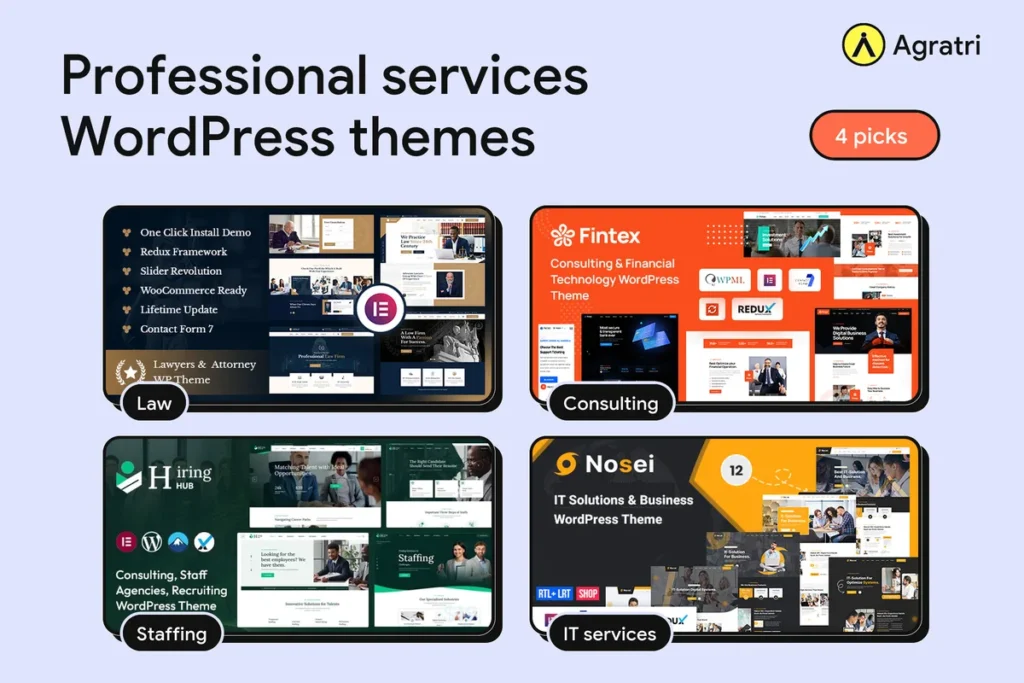
Professional services WordPress themes help law firms, consultants, recruiters and IT firms look credible online. This list covers four themes from the Agratri collection. Each pick has a preview image, a short description, key features and a link to its page.
Buyers in this field judge you before they call you. So the right pick among professional services WordPress themes matters more than a flashy one. We chose four themes that fit service firms, and we explain each one in plain words.
Who needs professional services WordPress themes
Four kinds of firms use professional services WordPress themes most. First, law firms need a site that shows practice areas and builds trust. Second, consultants and finance advisers need clear service pages and team profiles.
Third, staffing and recruitment agencies need a site that speaks to both employers and job seekers. Finally, IT service firms need pages that explain technical work in simple terms.
Each group has a different first priority. For example, a law firm leads with expertise, while a recruiter leads with open roles. So the best theme for one firm may be wrong for another. Keep your own firm in mind as you read the picks.
How we picked these professional services WordPress themes
These are picks from the Agratri collection, not an independent ranking. We read each product page and kept only the themes that fit service firms. Then we listed only the features each page states.
We checked every theme against five points:
- Fit for service work, with layouts for services, team and contact
- A responsive layout that works on phones and tablets
- Demo content or ready-made homepages, so you can start fast
- Visual editing tools, so you do not need to write code
- Room to change colors, fonts and layouts without breaking the design
No theme wins on every point. For example, a theme with many demos gives you more choice, but it also takes longer to learn. So think about your own team and your own services before you decide.
Quick comparison of the four picks
Start with this table, then read the notes on each theme. It shows how the professional services WordPress themes in our list differ by firm type.
| Theme | Type | Best for | Details |
|---|---|---|---|
| Ukilo | WordPress theme | Law firms, lawyers and attorneys | View details |
| Fintex | WordPress theme | Consulting, accounting and finance firms | View details |
| Hiring Hub | WordPress theme | Staffing and recruitment agencies | View details |
| Nosei | WordPress theme | IT solutions and services companies | View details |
The four picks in detail
Each of these professional services WordPress themes targets a different kind of firm. Read the short description first, then check the feature list against your own needs. Because every pick uses a visual builder, you can adjust layouts without writing code.
1. Ukilo: WordPress theme for law firms and attorneys
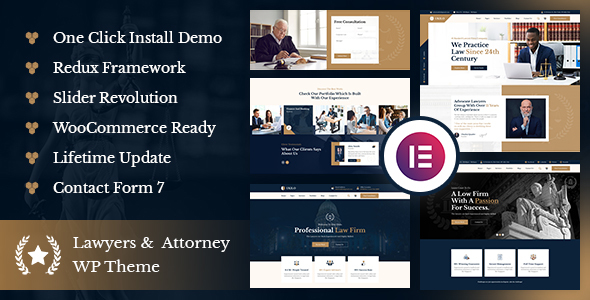
Ukilo is built for lawyers, attorneys and legal offices. Its page says the theme follows research into the legal field, with ready layouts and blocks for that work. It runs on the Elementor page builder, so you can edit pages with drag and drop.
The package also includes the Booked plugin, so clients can request online bookings. As a result, a small practice can add consultation booking without extra tools. Our notes on a WordPress theme for a law firm go deeper.
Key features
- 3+ pre-built websites, 40+ inner pages and 55+ Elementor elements
- One-click demo installation and Slider Revolution included
- Booked plugin included for online bookings
- Mega menu, plus a header and footer builder
- Contact Form 7 support, WPML ready and a child theme included
2. Fintex: WordPress theme for consulting and finance firms
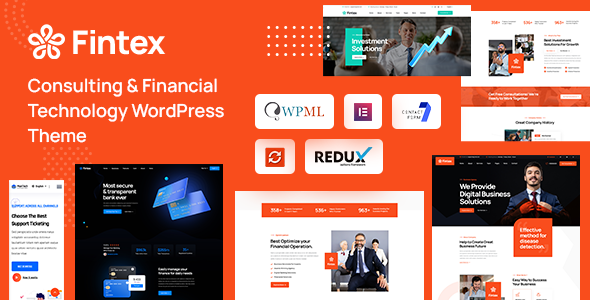
Fintex targets advisers, accountants, consulting firms and investment firms. Its page also lists insurance, loan and tax help businesses. The theme uses Elementor, and it includes demo content that you can load after you activate it.
It ships with team pages, testimonials, client sections and question and answer pages. Therefore, a consulting firm can show its people and its client feedback from day one. It suits advisers who want a clean, formal look.
Key features
- 6+ homepage concepts, three multipage and three one-page
- 55+ styled pages and 50+ custom widgets
- One-click demo import and Slider Revolution included
- Header and footer builder, with a sticky menu
- Contact Form 7, WPML ready, RTL support and an SEO optimised design
3. Hiring Hub: WordPress theme for staffing and recruitment agencies
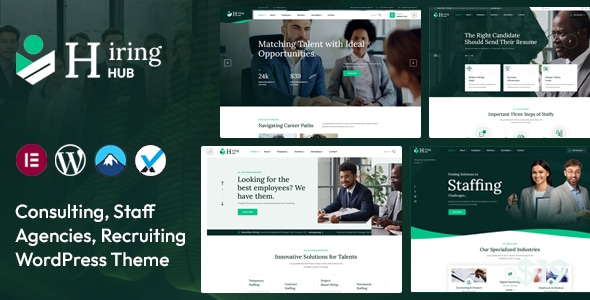
Hiring Hub is an Elementor theme for HR and recruitment companies. Its page also lists headhunting firms, job course companies and job seeker websites. It suits agencies that talk to employers and candidates on one site.
The page mentions a simple job board plugin and five different demos. For example, you can pick the demo closest to your agency and swap in your own content. If you plan a recruiter site, read our checklist for choosing a recruitment theme first.
Key features
- Five demo layouts, with demo content included
- Simple job board plugin, as the product page states
- One-click installation and Elementor drag and drop editing
- 600+ Google Fonts, plus custom font support
- Contact Form 7, WPML ready, a child theme and documentation
4. Nosei: WordPress theme for IT services and technical firms
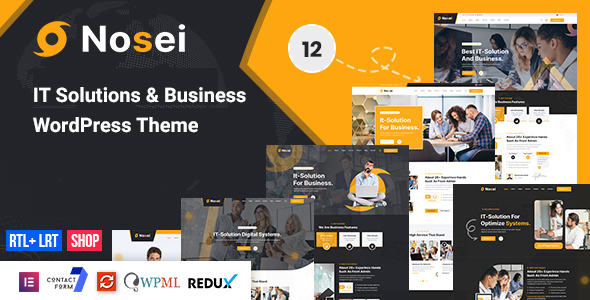
Nosei is made for IT solutions and service companies. Its page also covers consulting, software, digital solutions and technical services. It runs on Elementor, so teams can edit sections without code.
Setup is quick because the theme includes demo content and a one-click installer. As a result, an IT firm can start from a finished layout and replace the text. See our guide to a theme for an IT services company for more detail.
Key features
- 6+ pre-built websites and 40+ inner pages
- 55+ Elementor elements, plus a mega menu and header and footer builder
- One-click demo installation and Slider Revolution included
- Contact Form 7, WPML ready, Polylang ready and RTL support
- WooCommerce ready, with a child theme included
Which theme fits which firm
If you are still unsure, match the theme to your firm. Law firms can start with Ukilo, because its page is written for lawyers and legal offices. Consulting and finance firms can start with Fintex, which lists advisers, accountants and investment firms.
Staffing agencies can start with Hiring Hub, since it mentions a job board plugin. IT firms can start with Nosei, which covers IT solutions and technical services. However, a theme is only a starting point. Open two demos side by side and choose the one your clients would find easier to read.
Whichever you choose, professional services WordPress themes work best when the design stays simple. Clear headings, short pages and a visible contact button beat heavy effects.
What to look for in professional services WordPress themes
A good demo does not prove a good fit. Use these seven checks before you pick among professional services WordPress themes.
- Service page layouts. Each service needs its own clear page, so check that the demo has one.
- Trust sections. Look for places to show team profiles, testimonials, case studies and credentials.
- Contact and booking tools. A clear form or booking path turns visits into enquiries.
- Page speed. Slow pages lose enquiries, so test the demo with Google PageSpeed Insights before you commit.
- Mobile layout. Many visitors browse on phones, so open the demo on a small screen.
- Editing tools. A visual builder lets your team update pages without a developer.
- Clean code and updates. Good themes follow the WordPress theme handbook, and regular updates keep them safe to run.
The last point is the one most buyers skip. Compare each theme with your real content, not just the demo text. For example, paste in your actual service names and see if the layout still works.
Pages your firm needs after you pick a theme
A theme gives you the frame, but your pages do the selling. Most professional services WordPress themes ship with inner pages, so you rarely start from a blank screen. Still, you should plan your content before you import a demo.
At a minimum, build these pages first:
- A home page that states who you help and what you solve
- One page for each core service, such as tax advice, contracts or recruitment
- An about page with your team and your way of working
- A contact page with a short form and a clear reply time
- A blog or resources page for guides that answer buyer questions
Next, write real text for each page. Demo copy is generic, so buyers can tell when you leave it in. In addition, search engines reward pages that answer one specific question. As a result, a clear service page often beats a long, vague one.
A simple launch plan for your firm
Many firms stall because the job feels big. A short plan keeps the work moving. Follow these steps in order.
- Pick one theme from the shortlist and open its demo on your phone and laptop.
- Import the demo that is closest to your firm, then remove the pages you will not use.
- Replace the logo, colors and fonts with your own brand settings.
- Rewrite each page with your real services, team and contact details.
- Test the site speed and the contact form, then fix any slow or broken parts.
- Publish, and then add one helpful article each month.
This plan works with any of the four professional services WordPress themes above. Because each theme includes demo content, the import step takes minutes instead of days. Therefore, most of your time goes into writing, which is where buyers decide whether to trust you.
When a custom build makes more sense
Ready-made professional services WordPress themes are the fastest route for most small firms. However, some projects need more. If you have a client portal, a complex intake flow or a strict brand system, a custom build may fit better.
There is a middle path too. You can start with a ready-made theme and adjust it. Our theme customization service covers that, and our performance optimization service helps if speed becomes a concern. Also see our comparison of customizing a theme and building a custom one if you are unsure which route to take.
Frequently asked questions
What are professional services WordPress themes?
They are themes built for firms that sell expertise, such as law, consulting, staffing and IT. They focus on service pages, team profiles, trust and contact forms. Other themes may focus on shops or visuals instead.
Can one theme suit law, consulting and recruitment firms?
Sometimes, but check the demos first. Ukilo targets law, Fintex targets consulting and finance, Hiring Hub targets staffing, and Nosei targets IT services. Pick the one that matches your work, then adjust the layout.
Do these themes need a page builder?
All four product pages mention Elementor. A builder lets you edit sections without code, so it saves time later.
What pages should a professional services site have?
Start with a home page, one page per service, an about page with your team and a contact page. Then add case studies and a blog. Each page should answer one clear question from a buyer.
Are professional services WordPress themes good for SEO?
A theme helps, but it cannot rank a site alone. Clean code, fast pages and clear headings all support SEO. However, your content and links matter more. Fintex lists an SEO optimised design on its product page.
Pick your theme and start building
Choose the theme that fits your firm, and your shortlist of professional services WordPress themes is done. Browse all WordPress themes and HTML templates from Agratri, or contact the Agratri team if you want help to choose.
Last reviewed: October 2026