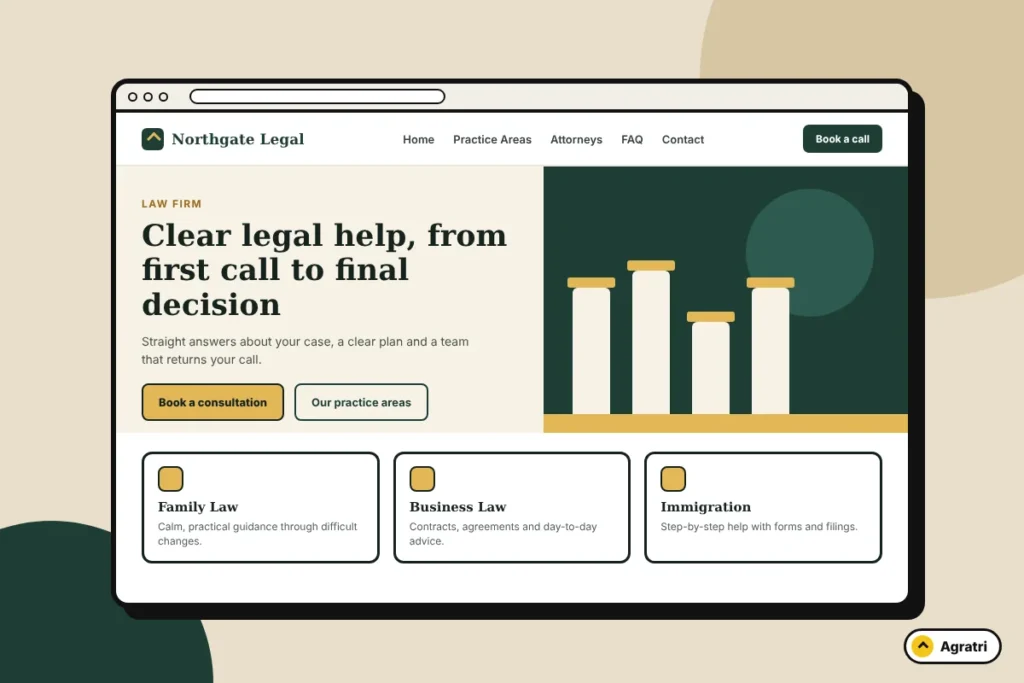
The best WordPress theme for a law firm is one that makes it easy for a worried visitor to find your practice areas, trust your team and book a consultation in a few taps, on a phone, without waiting for the page to load. Design matters, but structure, speed and clear calls to action matter more.
This guide shows what to look for before you buy, which pages the theme must support, and a short checklist you can use on any theme demo. If you want to see a real example, we also point to a law firm theme from the Agratri store at the end.
What makes a WordPress theme right for a law firm?
A law firm website has one main job: turn a person with a legal problem into an enquiry. Most visitors arrive stressed, compare two or three firms, and leave quickly if they cannot find what they need. A good law firm theme removes friction. It gives you ready-made layouts for the pages clients actually look for and keeps everything fast and readable.
Many “best lawyer theme” lists simply show screenshots. A better approach is to judge a theme against what your future clients need to do on the site. Ask yourself: can they understand what you do in five seconds, see who the lawyers are, and contact you without hunting for a button?
Pages your law firm theme must support
Before you compare designs, make a list of the pages your site needs. Guides from legal marketing and web design sites agree on a similar core set. A theme should include layouts for each of these, or make them easy to build.
- Home: a short statement of who you help, your main practice areas, a contact button and a way to call.
- Practice area pages: one page per area of law, such as family law, criminal defense, immigration or business law. These pages answer the questions a client has about their case and explain the next step.
- Attorney profiles: a page or card for each lawyer with a photo, background and areas of focus.
- About the firm: why the firm exists, how you work and what clients can expect.
- FAQ: short answers to the questions people ask before they call.
- Contact and consultation request: phone number, address, a simple form and, if you want it, online booking.
- Blog or resources: articles that answer real client questions and bring in search traffic.
If you are planning a larger site, our guide to agency website pages shows how to think through page structure in the same way, even though the industry is different.
A 10-point checklist before you buy a law firm theme
Open the theme demo on both a laptop and a phone, then work through this list.
- Practice area layouts. Look for a service or practice page template with room for a short intro, a list of what you handle and a contact button.
- Team layouts. You need a grid of attorneys and a full profile page. Check that the photos and text still look good with a long name or a long bio.
- Mobile experience. Many clients will visit from a phone. The menu, phone number and contact button should be easy to reach with one thumb.
- Page speed. Run the demo through Google PageSpeed Insights or a similar tool. A heavy theme with large sliders and many scripts will slow down every page.
- Contact forms. The theme should work with a standard form plugin so you can collect enquiries without custom code.
- Appointment booking. If you want clients to book a call or a meeting, check whether the theme supports a booking plugin.
- Editing method. Decide whether you or your staff will edit pages. A drag-and-drop page builder is easier for non-technical editors.
- Trust sections. Look for places to show credentials, memberships, process steps and a short FAQ, so visitors can judge you quickly.
- Update and support. Check that the theme is kept up to date and that someone answers questions if you get stuck.
- Safety. Buy from a seller that reviews and scans its files. Our checklist for choosing an IT services theme covers the same safety and speed questions in more detail.
Free theme, premium theme or custom build?
Law firms usually pick one of three routes, and each suits a different situation.
A free theme
A free theme can work for a solo lawyer who needs a simple page and has a very small budget. The trade-off is usually fewer layouts, less support and more manual work to make the site look finished.
A premium theme
A premium theme gives you ready-made pages for services, team members and contact, so you can launch faster. It is the best fit for most small and mid-size firms that want a polished site without paying for a full design project. Make sure the seller is clear about what is included, how updates work and where to get help.
A custom theme
A custom theme makes sense when you need an unusual layout, a special client portal or a brand that a standard theme cannot match. It costs more and takes longer. If you only need a premium theme adjusted to your brand, theme customization is usually a lighter option than a full build.
If you are also weighing a static site against WordPress, read HTML template vs WordPress theme first. For a firm that will add practice pages, attorney profiles and blog articles over time, WordPress is normally the easier choice to manage.
Speed, SEO and trust: the three things clients notice
Speed. A slow page loses visitors before they read a word. Choose a theme that lets you turn off features you do not use, and keep images compressed.
Search visibility. Many law firm clients search for a service plus a place, such as “divorce lawyer” with a city name. A theme with clean headings, fast pages and a flexible layout for each practice area gives you a better base for local search. The theme alone will not rank a site, but a poor one can hold it back.
Trust. Real photos of your team, plain language, clear contact details and a short process explanation do more for trust than heavy animation. Avoid long, detailed client testimonials, because many clients do not want their names or cases shown. Rules on legal advertising also differ by country and region, so check what your local bar or regulator allows before you publish claims about results.
Step by step: set up a law firm website with a theme
- List your practice areas. Start with the two or three areas that bring most of your work.
- Choose a theme that fits your size. A solo lawyer and a firm with twenty attorneys need different team and practice layouts.
- Import the demo and replace the content. Use one-click demo import if the theme offers it, then replace every placeholder with your own text and photos.
- Write each practice page for a real question. Explain who it is for, what you handle and what happens next.
- Add your contact and booking options. Place a call button and form near the top of every important page.
- Check speed and mobile layout. Test on a real phone before you publish.
- Add a few helpful articles. Answer common client questions in plain language.
An example: Ukilo law firm theme
If you want to see how these points look in a finished theme, Agratri sells Ukilo, a lawyer and attorney WordPress theme. According to the product page, it is built for the Elementor page builder, and it includes 3+ pre-built websites, 40+ inner pages, one-click demo installation and a sticky mobile header. It also works with Contact Form 7 and the Booked plugin for appointment booking, is ready for WPML and Polylang, supports right-to-left languages, and comes with a child theme and documentation.
Like every product in the store, it is reviewed and malware-scanned before listing. Open the demo, run it against the checklist above and see whether the layouts match the pages your firm needs.
Frequently asked questions
What is the best WordPress theme for a law firm?
The best theme is the one that fits your firm’s size and pages: practice area layouts, attorney profiles, a clear contact path and fast loading on mobile. Judge themes by those features, not by the demo’s colors.
What pages does a law firm website need?
At minimum: Home, practice area pages, attorney profiles, About, FAQ and Contact. A blog or resources section helps you answer client questions and attract search traffic.
Can I build a law firm website without coding?
Yes. Many themes include a drag-and-drop page builder and one-click demo import, so you can replace the sample content with your own and publish without writing code.
Should a law firm use a free or a premium WordPress theme?
A free theme can suit a very simple site. A premium theme usually saves time by giving you ready-made practice, team and contact pages, plus support and updates from the seller.
Can clients book appointments through a WordPress law firm theme?
Yes, if the theme works with a booking plugin. Check the product page for compatible booking tools before you buy, and test the booking flow on a phone.
Next step
Pick your practice areas, run two or three theme demos against the checklist, then choose the one that makes your pages easiest to build. If you want a theme adjusted to your brand or need help with setup, contact the Agratri team and tell us what your firm needs.