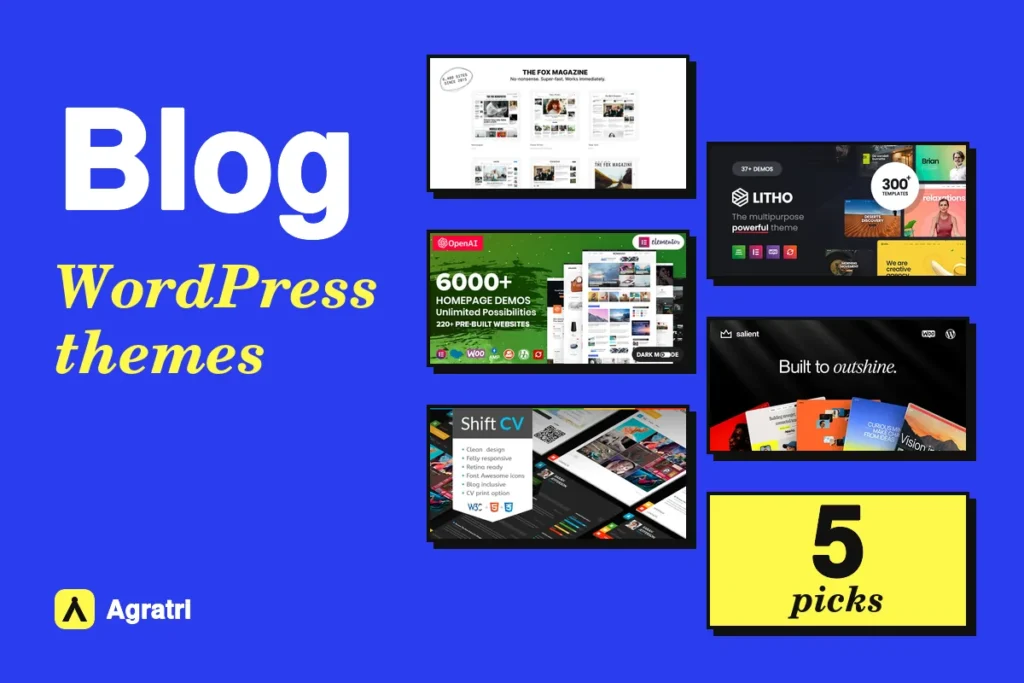
Blog WordPress themes decide how your posts look, how fast they load and how easily readers find the next article. This list covers five themes from the Agratri collection for writers, publishers and personal brands. Each pick has a preview image, a short description, key features and a link to its page.
Blogs differ a lot, so one theme cannot suit everyone. For example, a news site needs fast headlines, while a freelancer needs a blog beside a portfolio. First, decide how you publish. Then use the table below to narrow your shortlist.
Who needs blog WordPress themes
Three kinds of publishers use blog WordPress themes most, and each has a different goal. First, solo writers and personal brands need a calm design that puts the words first. Second, magazines and news sites need strong category pages, fast headlines and room for ads. Third, business owners need a blog that sits next to service pages and a contact form.
Each group has a different priority. For example, a travel blogger needs large photos, while a columnist needs clean type. As a result, the best pick for one group may be wrong for another. So keep your own group in mind as you read.
How we picked these blog WordPress themes
These are picks from the Agratri collection, not an independent ranking. We read each product page and kept only the themes that handle blog content well. Then we listed only the features each page states.
We checked every theme against five points:
- Blog layouts, such as grids, lists or magazine styles
- Post tools, such as post formats, related posts or author boxes
- A responsive design that reads well on phones
- Demo content, so you can start with a ready-made site
- Settings for colors, fonts and layouts that need no code
No theme wins on every point. For example, a theme with thousands of demos gives you more choice, but it also takes longer to learn. So weigh the trade-offs against your own skills before you buy.
Quick comparison of the five picks
Start with this table, then read the notes on each theme.
| Theme | Type | Best for | Details |
|---|---|---|---|
| The Fox | WordPress theme | News sites, magazines and editorial blogs | View details |
| Soledad | WordPress theme | Publishers who want blog, news and magazine layouts | View details |
| ShiftCV | WordPress theme | Personal blogs that double as a CV or resume site | View details |
| Litho | WordPress theme | Blogs that sit inside a larger Elementor business site | View details |
| Salient | WordPress theme | Creative bloggers who want many blog layouts and a portfolio | View details |
The five picks in detail
Each of the five blog WordPress themes below has a product image, a short summary and the features its page states.
1. The Fox: magazine-style WordPress theme for news and blogs
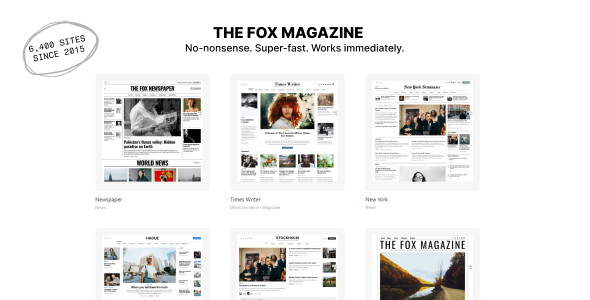
The Fox is a theme for online magazines, news sites, newspapers and blogs. It has a built-in page builder and header builder, so you do not need Elementor or another builder plugin. As a result, it suits publishers who want fewer plugins.
The package includes 37 demos that import in one click. Nine of them are blog demos, including Medium, Deodar for lifestyle and Willow for travel and photography. That makes The Fox one of the blog WordPress themes best suited to editorial sites.
Key features
- Seven single post layouts, including full-width hero and half hero
- Reading progress bar, related posts, author box and share buttons
- Dark mode, a live blog label for breaking news and review posts with scores
- Ad slots that take images or code such as Google AdSense
- Critical CSS option, plus support for LiteSpeed Cache and WP Rocket
2. Soledad: blog, news and magazine WordPress theme

Soledad is a versatile theme for blogs, news sites, magazines, review platforms and online stores. The product page lists more than 6,800 homepage demos, so you can start close to your idea. In addition, it works with both Elementor and WPBakery.
It also adds tools for publishers who earn from content. For example, it supports ad placements, a post paywall and frontend post submission. Among blog WordPress themes, Soledad stands out for these publisher tools, so it fits larger editorial sites.
Key features
- Header, footer, single post, category and archive builders, plus a mega menu builder
- Text to speech plugin, podcast features and a live blog plugin
- Schema markup, AMP support and a focus on site speed
- Dark layout, 11 header styles and a featured slider with 36 styles
- Translation ready, with RTL language support
3. ShiftCV: personal blog and resume WordPress theme
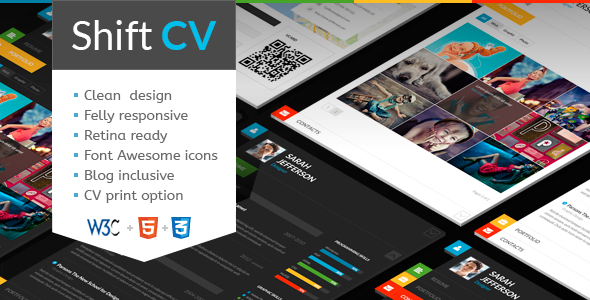
ShiftCV combines a one-page CV with a personal blog. The page names copywriters, designers, developers, photographers and lifestyle bloggers as its audience. Of the five blog WordPress themes here, ShiftCV is the only one built around a CV. So it fits people whose blog supports a career.
The blog side has settings of its own. You can choose from several blog styles, set a custom feed by post type or category, and add post animations. Meanwhile, the CV side offers print and download options.
Key features
- Seven skins of the one-page CV card with a personal blog
- Multiple blog styles, flexible layouts and 20+ post animations
- A related posts section and interactive Ajax search
- Elementor support, with 750+ Customizer options
- One-click demo installation and GDPR compliance
4. Litho: multipurpose Elementor theme with detailed blog styles
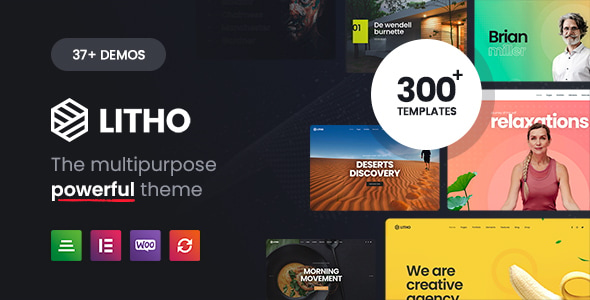
Litho is a multipurpose Elementor theme for business, portfolio, blog and store sites. Its page also names bloggers and magazines among its uses. Therefore, it is one of the blog WordPress themes that works well when your blog is one part of a bigger site.
The blog tools come with exact numbers. The page lists 11 blog listing styles and 5 blog detail page styles. Next, it supports post types such as standard, gallery, slider, video, audio, link and blockquote.
Key features
- 37+ ready homepages, 200+ elements and 300+ templates
- Pagination by page number, load more button or infinite scroll for blog posts
- Mailchimp integration for newsletter forms
- One-click demo importer
- Compatible with Yoast SEO, Contact Form 7 and WPML
5. Salient: creative multipurpose theme with many blog layouts
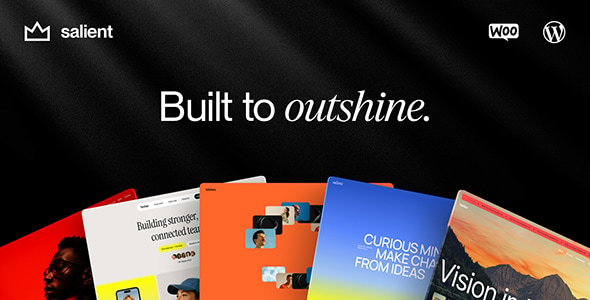
Salient is a creative multipurpose theme with a tailored WPBakery page builder. It offers many blog layouts, so it suits bloggers who care about presentation. Also, its portfolio tools help if you show work beside your posts.
The page lists seven blog styles, from masonry grids to simple lists. Each style can run full width or with a sidebar. Furthermore, an infinite scroll option keeps readers moving through your posts.
Key features
- Blog styles named Auto Masonry, Material Masonry, Masonry Enhanced and Masonry Metro, plus three list layouts
- Several single post layouts, including fullscreen and minimal headers
- Built-in mega menu and off canvas menu
- Over 800 font families with live previews in the options panel
- Translation ready, with .po and .mo files, and WooCommerce support
Which theme should you choose?
If you still cannot decide between these blog WordPress themes, use this short guide.
- The Fox suits a news site or magazine that wants a built-in page builder.
- Soledad fits you if you need blog, magazine and store features in one theme.
- ShiftCV is the pick when your blog supports a CV, a resume or a personal brand.
- Take Litho if your blog is one part of a larger Elementor business site.
- Go for Salient if you want many blog styles beside a portfolio.
Blog layout or magazine layout?
Most blog WordPress themes offer two basic ways to show posts. A blog layout shows posts in one clear stream, often with a sidebar, so it suits personal stories and long articles. A magazine layout groups posts by topic on the homepage, with sliders, grids and featured stories. It suits sites that publish many posts each day.
You do not have to pick only one. For example, The Fox and Soledad cover both styles, while ShiftCV keeps a simple personal blog feel. Salient mixes masonry and list styles, and Litho lists 11 blog listing styles inside a wider site design. So match the layout to your publishing pace, not just to the demo you like.
What to look for in blog WordPress themes
Good blog WordPress themes save you weeks of work, while a poor fit costs you readers. So use these seven checks before you buy.
- Readable post pages. Readers come for your words, so check font size, line length and spacing on the demo.
- Mobile layout. Many readers open links on a phone, so scroll a demo post on a small screen.
- Speed. Slow pages push readers away. Test the demo with Google PageSpeed Insights, and read the Core Web Vitals guide to understand the numbers.
- Layout choice. Look for grid, list and magazine styles, because you can change the look as your blog grows.
- Post formats. If you share videos, galleries or audio, confirm that the theme supports WordPress post formats.
- Newsletter and ad options. Many blogs earn from email lists or ads, so check for a signup form and ad slots.
- Clean, trusted code. Follow our steps to check whether a WordPress theme is safe before you install it.
Several picks above also appear in our multipurpose theme list. If your blog is also a showcase, compare them with our portfolio theme picks.
A five-minute test before you buy
Before you commit to any of these blog WordPress themes, run this quick test on the live demo. It takes about five minutes and shows most problems.
- Open the demo on your phone, then scroll one post from top to bottom.
- Check that the menu, search box and share buttons work with one thumb.
- Run the demo through PageSpeed Insights and note the mobile score.
- Open the blog archive and confirm that the layout you want is part of the package.
- Read the product page to see what the package includes, such as demo content.
If a theme passes all five checks, you can buy with more confidence. If it fails one, ask yourself whether the fix is easy.
When a custom build makes more sense
Ready-made blog WordPress themes cover most needs, and they give you a fast start. However, some blogs need more. For example, you may want a unique brand look, a member area or a link to your own tools. In that case, a custom build saves time later.
You do not have to start from zero. Many people adjust one of the themes above first. Our guide on theme customization versus a custom theme compares both routes. If you want help, see the theme customization service or the theme development service.
Frequently asked questions about blog WordPress themes
What is the best theme for a blog?
It depends on how you publish. Among these blog WordPress themes, The Fox and Soledad suit news and magazine-style blogs. However, ShiftCV suits a personal blog that doubles as a CV.
Do I need a page builder for a blog?
No, but it helps. A builder lets you edit layouts without code. The Fox has its own built-in builder, ShiftCV and Litho list Elementor, and Salient uses WPBakery. Soledad works with both Elementor and WPBakery.
Can I run a store on a blog theme?
Yes. Many blog WordPress themes support WooCommerce, but check first. Soledad, Litho and Salient state WooCommerce support on their pages, and The Fox lists it too. Also check the shop pages in the demo, because layouts differ between themes.
How do I keep a blog fast?
Large images are the usual cause of a slow blog, so compress them before you upload. Also limit the number of plugins and test your pages often. The web.dev guide to Largest Contentful Paint explains how to fix a slow main image.
Should I choose a free or a premium blog theme?
A free theme can work for a first blog. However, a premium theme usually adds more layouts, demos and support. Read our guide to free and premium WordPress themes for a full checklist.
Pick your theme and start publishing
Choose the theme that fits how you publish, and your shortlist of blog WordPress themes will be short. Browse all WordPress themes and HTML templates from Agratri, or contact the Agratri team if you want help to choose.
Last reviewed: October 2026