A free WordPress theme can be a smart start, but only if it fits your site and stays updated. For a hobby blog or a test project, it often works well. For a business site that must win clients, the choice is less simple. This guide gives you nine checks to run before you install anything.
You will also learn how to pick a news theme, where to download WordPress itself, and when it makes sense to move to a paid option. Each step uses plain language, so you can follow along even if you are new to WordPress.
Free WordPress Theme or Premium: The Short Answer
Free themes cost nothing to install. Premium themes cost money, but they usually bring more layouts, direct support and regular updates. Neither type is always better. The right pick depends on what your site must do.
Use a free WordPress theme when you are learning, building a personal blog or testing an idea. Choose a premium theme when the site brings in leads or sales. In that case, a polished design and a support team save you time.
The checks below work for both types. Run them on any theme before you commit, because a poor choice costs hours later.
9 Checks Before You Install a Free WordPress Theme
1. Check where the theme comes from
Download a free WordPress theme only from a source you trust. The official WordPress theme directory lists thousands of free themes, and each one goes through a review first. Themes from random download sites have no such review. As a result, they can hide broken or harmful code.
Also look at who made the theme. A named author with a support page and a clear update history is a good sign. An unknown uploader with no contact details is not.
2. Look at the last update date
An old free WordPress theme falls behind WordPress itself. Check the last updated date and the tested-up-to version on the theme page. If the theme has not changed in two years, skip it. Active themes get fixes when WordPress changes.
3. Test it on mobile
Most visitors browse on phones. Open the live demo on your own phone first. Then check that the menu opens, the text is easy to read and the buttons are big enough to tap. If the layout breaks on a small screen, pick another theme.
4. Test the speed
Slow pages lose visitors and hurt search rankings. Install the theme on a test site and run a speed test with the default content. Then add your own images and see what changes. A light theme with simple code is usually faster than a heavy one packed with sliders and effects.
5. See what the free version really includes
Many themes are free only in name. The basic version of a free WordPress theme may lock the header builder, extra layouts or font controls behind a paid plan. Read the feature list with care. Then make sure the features you need are in the free tier.
6. Check page builder and plugin fit
Decide how you will build pages. If you use Elementor, pick a theme that works well with it. If you prefer the block editor, look for a block theme. Also confirm that the theme works with the plugins you need, such as forms, SEO and shop tools.
7. Look for real support
Free themes usually offer help through a public forum. Replies can be slow, and some authors never reply at all. Read recent forum threads to see how fast problems get answers. In addition, look for documentation that explains the common setup steps.
8. Check the design flexibility
Can you change colors, fonts and layouts without code? Test the customizer or site editor in the demo. A free WordPress theme often limits you to a logo and a few colors. If you need a layout the theme does not offer, you will hit a wall quickly.
9. Plan your exit
Think about the day you outgrow the theme. Changing themes later can break layouts and shortcodes. So keep your content in standard posts and pages, and avoid theme-only features where you can. For more on safe changes, read our comparison of theme customization and a custom theme.
How to Pick the Best WordPress Theme for Your Site
People search for the best WordPress theme, but no single theme wins for everyone. A theme that suits a law firm will feel wrong for a software startup. First, name your site type. Next, list the pages and features you need.
A business site needs service pages, trust sections and a clear contact path. Portfolios need strong image layouts. Shops need product pages and a smooth checkout. Write this list first, and then match themes to it.
For a company site, a niche theme also saves setup time. For example, Fintex is a consulting and corporate theme. BrightHub targets SaaS and tech startups and is built on Elementor.
Both come from our shop, where themes are reviewed before upload. You can also browse all our themes and templates by niche.
What a WordPress News Theme Needs
A news site has different needs from a business site. It publishes often, so the theme must handle many posts without slowing down. Look for clear category pages, a flexible homepage with featured stories and a clean article layout.
Check these points on any news or magazine theme:
- Fast archive pages and good pagination
- Space for ads and sponsored content
- Readable type for long articles
- Author boxes, dates and related posts
- Layouts that work well on phones
A free news theme can work for a small local blog. A busy publication usually needs more control, so it often moves to a premium or custom build. Our shop does not list a news theme right now. For that reason, start in the official directory and filter it by the News subject.
Where to Download WordPress and Your Theme
If you plan to download WordPress, use the official WordPress.org download page. It gives you the latest release and an installation guide. Many hosts also offer a one-click install, which is easier for beginners.
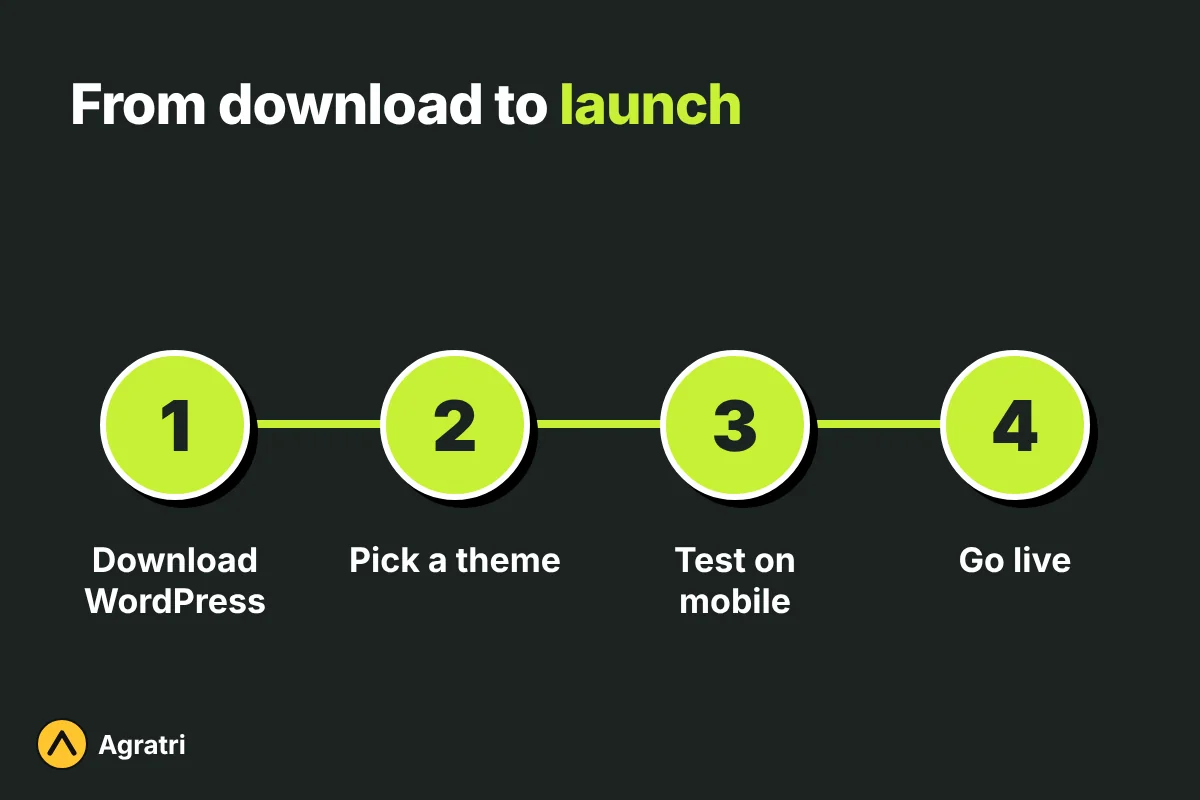
After WordPress is running, open Appearance, then Themes, then Add New. You can search the directory and preview a theme before you activate it. Always back up your site first. Then try your chosen free WordPress theme on a staging copy if you can.
When a Free WordPress Theme Stops Being Enough
Sooner or later, many sites outgrow their first theme. Watch for these signs: you pay for several add-on plugins to get basic features, the design looks like thousands of other sites, or pages load slowly and you cannot fix it.
At that point, you have three paths. You can buy a premium theme, change your current theme with help, or order a custom build. Our guide to HTML templates and WordPress themes helps you compare formats. If you want a theme tuned to your brand, see our theme customization service.
Before any switch, learn how to check if a theme is safe. The same steps work for free and paid themes.
Frequently asked questions
Is a free WordPress theme good enough for a business site?
It can be, for a small site with simple needs. However, a business that depends on leads often needs better layouts, faster fixes and real support. In that case, a premium theme is usually the safer choice.
Where can I find a WordPress theme free to download?
Start with the official theme directory on WordPress.org. Every free WordPress theme there is reviewed, and you can preview it before you install it. Avoid sites that offer paid themes for nothing, because the files may be changed.
What WordPress theme is that site using?
Open the site, view the page source and search for the text wp-content/themes. The folder name after it is the theme name. You can also use an online theme detector tool. Custom or renamed themes may not show up.
What is the best WordPress theme for a news site?
No single theme is best for every news site. Pick one with fast archives, strong type and good mobile layouts. Then test it with your real articles before you decide.
Can I switch my free WordPress theme later?
Yes, you can. However, layouts, widgets and theme-specific shortcodes may need rework. Back up the site and test the new theme on a staging copy first.
Choose Your Next Theme With Confidence
A free WordPress theme is a fair place to start when the site is small and the stakes are low. Run the nine checks, test on mobile and read the support forum before you install. If your site needs more, tell us what you are building on our contact page, and we will point you to a fitting theme or service.