The best WordPress theme for a consulting firm is one that explains what you do in the first few seconds, shows proof that you deliver, and makes it easy to book a call. Looks matter, but clear service pages, case studies, trust signals and fast mobile loading decide whether a visitor becomes a lead.
This guide shows what to check before you buy, which pages the theme must support, and a short checklist you can run on any theme demo. At the end, we point to a consulting theme from the Agratri store so you can test the checklist on a real example.
What makes a WordPress theme right for a consulting firm?
A consulting website is not a brochure. Your buyer is usually a manager or founder who is comparing two or three advisors, reading quickly and looking for a reason to trust you. The site has to answer three questions fast: who are you, what do you do, and how can I work with you?
Many “best consulting theme” lists show screenshots and long feature counts. A better test is to judge a theme by the job it does for your future client. Can a visitor see your services, read proof of results and reach you in one or two clicks? If the answer is yes, the theme is doing its job, whatever the demo colors look like.
Pages your consulting theme must support
Before you compare designs, list the pages you need. Guides from consulting web design teams agree on a short core set, and most firms do better with a few strong pages than many thin ones. A good theme includes ready layouts for these or makes them quick to build.
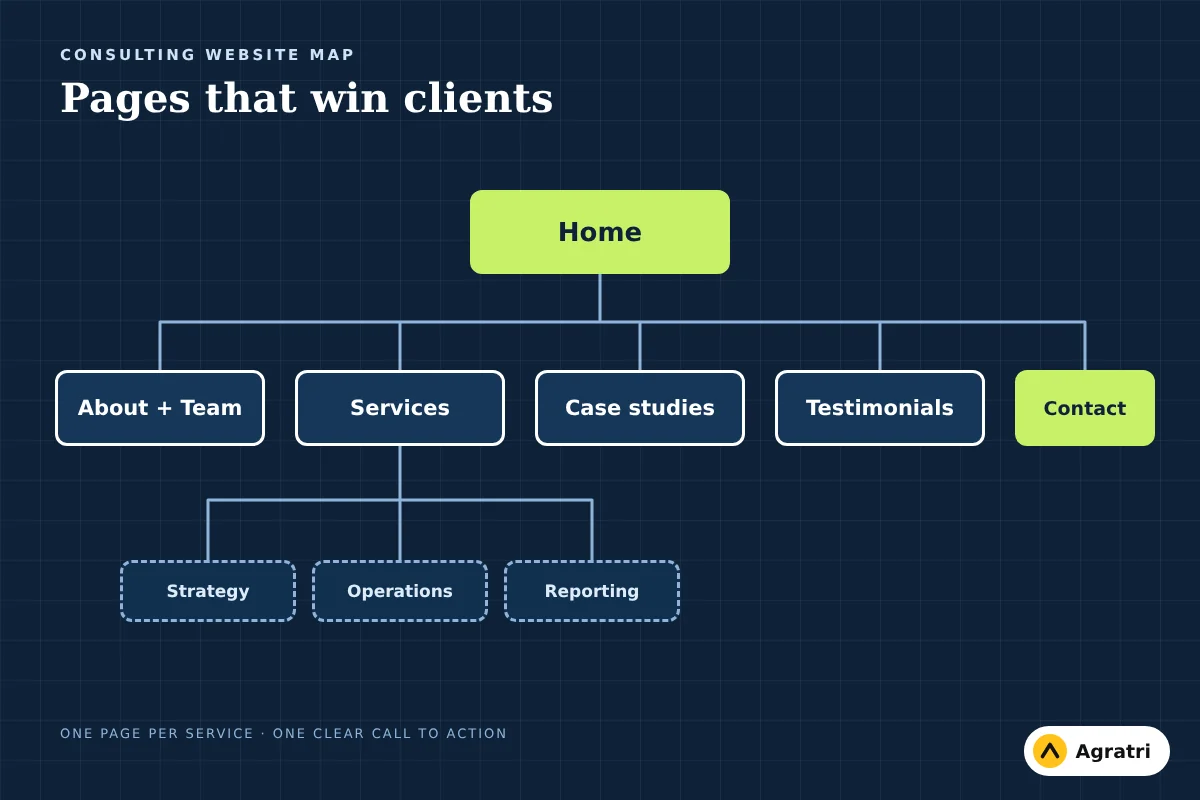
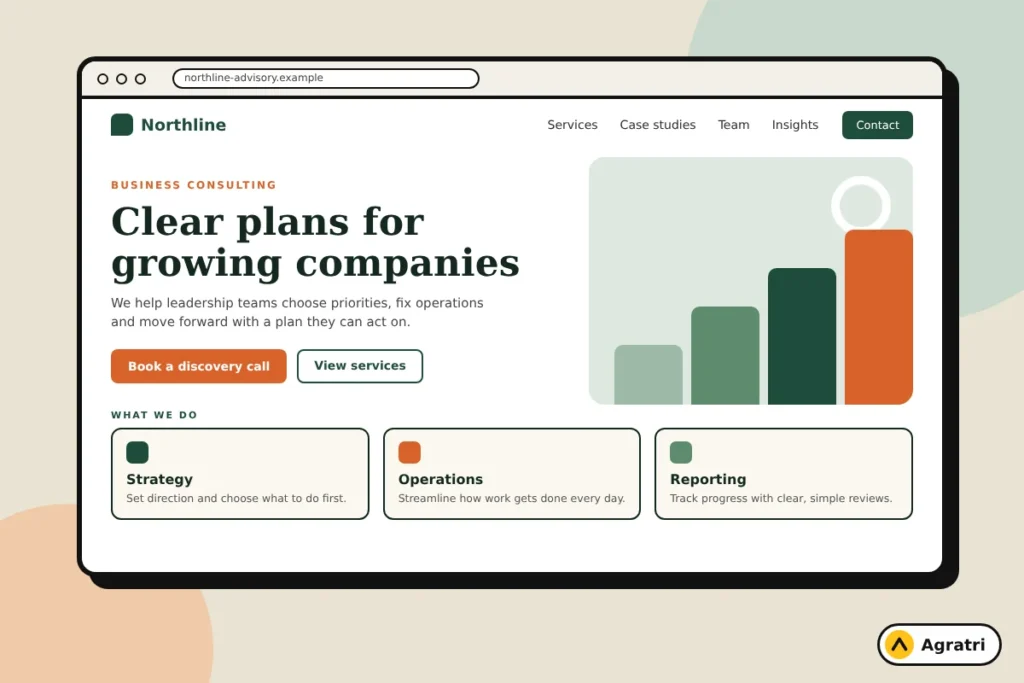
- Home: a clear headline about who you help and the result you deliver, a short list of services, a proof section and a main call to action.
- Services: an overview page, plus a separate page for each service that explains the situation it solves, how the work runs and who it suits.
- About and team: who you are, how you work, and a profile for each advisor. Clients want to know who they will be working with.
- Case studies or work: the problem, what you did and the outcome. If you need help writing them, see our guide on how to write a case study that wins clients.
- Testimonials and client logos: short quotes from real clients, shown on the home page and on service pages.
- FAQ: short answers to the questions buyers ask before they book.
- Blog or insights: articles that show your expertise and bring in search traffic.
- Contact: a simple form, your details and a clear next step such as a discovery call.
If you are just starting out, you do not need every page on day one. A lean site with Home, About, Services and Contact can be enough to start conversations. Pick a theme that lets you add the rest later without a redesign.
10-point checklist for choosing a consulting theme
Open the theme demo and test each point on your phone as well as your computer.
- Clear homepage structure. Look for a hero area with space for a plain headline and one button, followed by services, proof and a contact section.
- Service page layouts. You should be able to give each service its own page with a description, process and call to action, not just a card on the home page.
- Team and profile pages. Check that every advisor can have a photo, short bio and focus areas.
- Case study or work layouts. The theme should show a project with a challenge, approach and result, not only an image grid.
- Testimonial and client sections. These should be easy to place on any page, since proof works best next to the offer.
- Contact form support. Check which form plugin the theme works with and whether you can add a booking or enquiry form without custom code.
- Mobile layout. Resize the demo and tap through it. Buttons, menus and forms should be easy to use with a thumb.
- Speed. Run the demo through a speed test. Heavy sliders and many animations slow a page down and make a firm look careless.
- Editing method. A drag-and-drop builder and one-click demo import let you replace sample content yourself instead of waiting for a developer.
- Updates and support. Read the product page for what the seller provides, including documentation, support and how updates work.
Step by step: from theme choice to a live consulting site
Step 1: Write your offer in one sentence
Name the client you serve, the problem you solve and the result you deliver. For example: “We help mid-size manufacturers cut procurement costs.” Use this sentence as the base for your homepage headline. Vague lines such as “business solutions for everyone” give a visitor no reason to stay.
Step 2: Choose your service pages
List the two to five services you want to be hired for. Write what the client gets, the way the engagement works and who it is for. Describe outcomes, not tasks. “A 90-day plan to reduce costs” reads better than “we analyze your processes.”
Step 3: Gather proof
Collect two or three case studies and a few short client quotes. Only use real material you have permission to share. Do not invent numbers or reviews; one honest, specific result beats ten vague claims.
Step 4: Test two or three theme demos
Run the checklist above on each demo. Drop any theme that hides its service pages, loads slowly on a phone, or needs a lot of custom code to match your plan.
Step 5: Import the demo and replace the content
Install the theme, import the demo content, then swap the sample text, images and colors for your own. Keep the structure of the pages that already work and remove sections you do not need. Fewer sections usually make a clearer page.
Step 6: Add a clear call to action on every page
Every page should lead to one next step. A specific button such as “Book a 30-minute call” works better than a general “Contact us.” Place the same action in the header, on the home page and at the end of each service page.
Step 7: Check speed, mobile and forms before launch
Send a test enquiry, tap through the site on a phone and run a speed test. Fix large images first, since they are the most common cause of slow pages.
Mistakes to avoid
- Choosing by demo color. Colors change in minutes. Page structure does not.
- Too many services. A long list makes it hard for a buyer to see what you are best at.
- No proof. A site without case studies or client quotes asks buyers to trust you on faith.
- Hiding the contact path. If a visitor has to search for a way to reach you, many will leave.
- Heavy effects. Parallax, video backgrounds and big sliders look impressive in a demo but can hurt speed on mobile.
Other service businesses face the same choice. If you want to compare how themes are judged in a related field, read our guides to choosing a WordPress theme for a law firm and choosing a WordPress theme for an IT services company.
A consulting theme to test: Fintex
If you want a real theme to run against this checklist, look at Fintex, the consulting and corporate WordPress theme. According to the product page, it is made for consulting firms, financial advisors, accountants, insurance, loan, tax and investment businesses, and it is built for the Elementor page builder.
The page lists 6+ homepage concepts (three multipage and three one-page) and 55+ styled pages. It includes layouts for about pages, testimonials, clients, questions and answers, work, services, team members with single team profiles and blog pages. It also lists header and footer builder support, one-click demo import, Contact Form 7 compatibility, WPML readiness, responsive layouts, documentation, technical support, free lifetime updates and instant download. Like every product in the store, it is reviewed and malware-scanned.
Open the demo, run it through the checklist and see whether the layouts match the pages your firm needs.
Frequently asked questions
What pages should a consulting website have?
At minimum: Home, About, Services and Contact. Most firms also add case studies, testimonials and a blog. Give each main service its own page so buyers can see exactly what you offer.
What is the best WordPress theme for a consulting firm?
The best theme is the one whose layouts match your pages: service pages, team profiles, case studies, testimonials and a clear contact path, with fast loading on mobile. Judge themes by these features, not by demo colors.
Can I build a consulting website without coding?
Yes. Many themes include a drag-and-drop page builder and one-click demo import, so you can replace the sample content with your own and publish without writing code.
Should a consultant use a free or a premium WordPress theme?
A free theme can work for a very simple site. A premium theme usually saves time by giving you ready-made service, team and contact pages, plus documentation and support from the seller.
How many pages does a new consulting site need?
A new practice can start with four: Home, About, Services and Contact. Add case studies, testimonials and a blog as you collect proof and have time to write.
Next step
Write your offer in one sentence, list your services, then test two or three theme demos against the checklist. If you want a theme adjusted to your brand or need help with setup, contact the Agratri team and tell us what your firm needs.