Construction WordPress themes give a builder, contractor or industrial firm a ready site that shows services, projects and a clear way to get in touch. This list covers three themes from the Agratri collection. You will see what each one offers, who it suits and how to choose between them.
A construction site has one main job. It must show that you finish real projects, and then it must make the next step easy. Because of that, the fanciest layout is not always the right one among construction WordPress themes. Instead, look for project pages, service pages and a quote path that works on a phone.
First, two of the three themes are built for construction, industrial and engineering firms. Then the third suits architecture, renovation and home repair businesses. As a result, you can match your own trade to the right starting point.
How we picked these construction WordPress themes
These are picks from the Agratri collection, not a ranking of every theme on the market. We used only what each product page states, so you can check every claim by opening the page. Also, we did not add prices, because they can change.
We used five simple criteria:
- Fit for a construction, industrial or building services site, based on how the product page describes its target sites.
- A responsive layout that works on phones and desktops.
- Demo content that you can import, so you do not start from a blank page.
- A page builder that a non-developer can learn in a short time.
- Support and update details stated on the product page.
Every theme below links to its own page on agratri.com. First, read that page for the full feature list. Also remember that a theme is only the start. Your photos, copy and offer matter just as much as the layout.
Quick comparison table
This table puts the three construction WordPress themes side by side. First, check the best use. Then open the product page for details.
| Name | Type | Best for | Details |
|---|---|---|---|
| Structure | WordPress theme | Construction, engineering and architecture companies | View details |
| Nex | WordPress theme | Industrial, manufacturing and construction businesses | View details |
| Strux | WordPress theme | Architecture, interior design, renovation and home repair firms | View details |
The 3 construction WordPress themes we picked
We start with the theme built most directly for construction companies. Then we move toward the industrial and design-led choices.
1. Structure: construction, industrial and factory WordPress theme
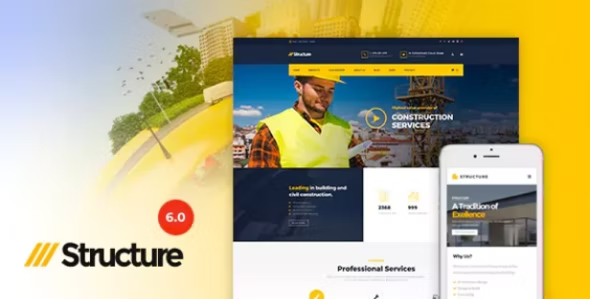
Structure is a responsive theme for building service companies, such as construction, engineering and architecture firms. The product page says it brings a clear, professional design to your site. As a result, a visitor can reach your services and projects without hunting for them.
First, it bundles the tools you need to build pages. In addition, it offers two project layouts, so you can show each job in a boxed or full-width style.
Key features
- WPBakery Page Builder, Slider Revolution and Essential Grid are bundled with the theme.
- 16+ predefined color schemes and 6+ header presets.
- One-click sample data import and a live customizer.
- Boxed and full-width layouts, plus two blog styles and two project layouts.
- WooCommerce, Contact Form 7, MailChimp for WP and testimonials are supported.
Structure also includes sample data. For example, you can import a demo and swap in your own photos. Then you only need to rewrite the text.
Who it suits: Among construction WordPress themes, Structure fits a firm that wants a classic company site with a project gallery. The page also lists WPML support, a mega menu and a sticky header. However, it is based on Bootstrap 3.x, so test the demo on a phone before you commit. View Structure to read the full list.
2. Nex: industrial WordPress theme for building and manufacturing firms
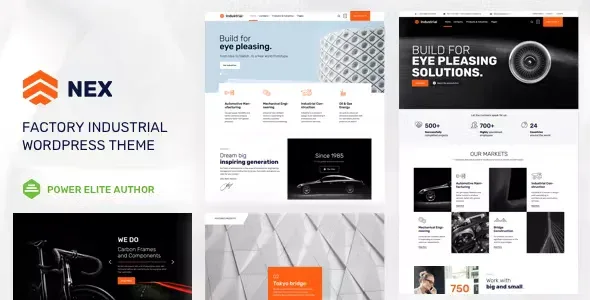
Nex is a premium theme designed for industrial business websites. The product page says it suits construction, manufacturing and engineering companies. Because it works with two page builders, you can pick the editor that you already know.
It also pays attention to speed. The page states that the theme is optimized for page-load performance. For example, a quick site helps a visitor reach your quote form before they give up.
Key features
- Elementor integration, plus front-end editing with Beaver Builder.
- Four header types, with separate versions for desktop, sticky and mobile views.
- A customizable mega menu for larger service lists.
- Video backgrounds for rows and columns, and a Revolution Slider.
- WooCommerce integration and optional pre-loading animations.
Who it suits: Nex is one of the construction WordPress themes to consider if your firm also makes or supplies products. For example, a fabricator can show its process with a video background. View Nex or open the live demo to see the layout.
3. Strux: architecture, interior and renovation WordPress theme
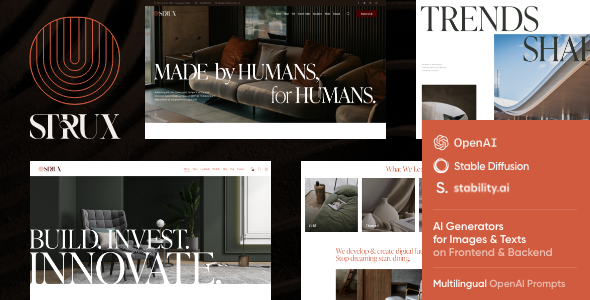
Strux is a modern theme for architecture and design businesses. The product page also names home repair, house renovation, remodeling, plumbing, roofing and carpentry firms. So it works well for trades that sell design along with the build.
Elementor lets you build your own page designs. In addition, the theme offers unique homepage layouts and a Slider Revolution home slider.
Key features
- One-click demo installation and unique homepage layouts.
- Elementor support, including custom header and footer layouts.
- 750+ customizer options, custom post types and interactive Ajax search.
- Boxed and full-width page layouts, with 20+ post animations.
- Compatibility with WPML, WooCommerce, Contact Form 7 and Mailchimp for WordPress.
The theme also lists plugin compatibility for a Mailchimp signup and an Instagram feed. So you can share finished work and grow a mailing list. This helps firms that win jobs through referrals.
Who it suits: Strux is one of the construction WordPress themes that leans toward design. Choose it if you sell remodeling or interior work and want a gallery that looks refined. For a closer comparison, read our guide to an architecture theme checklist. View Strux for the full feature list.
How to choose between these construction WordPress themes
All three themes can carry a strong company site. So the real choice comes down to your trade and your team. Use these steps to narrow it down.
- Name your main service. A general contractor, a factory and a remodeler each need a different first screen.
- Pick your editor. If your team knows Elementor, Nex or Strux will feel familiar. If you prefer WPBakery, Structure is the match.
- Open each demo on your phone. Then tap through the menu, the project pages and the contact form.
- List the pages you need. For example, you may want services, projects, about, careers and contact.
- Check the product page for support details. Then decide how much help you will need after launch.
Next, compare the three against that list. Structure suits a classic company site, Nex suits an industrial brand, and Strux suits a design-led firm. In short, the best of these construction WordPress themes is the one that fits your trade and your editor.
What to look for in construction WordPress themes
Before you buy any of the construction WordPress themes, check a few basics. First, each one affects how many quote requests you get.
- Project gallery: Buyers want proof, so pick a theme with clear project pages.
- Service pages: Each trade needs its own page, because people search for one service at a time.
- Quote form: A short form near the top of the page helps visitors act quickly.
- Mobile layout: Many visitors use phones on site, so test the demo on one.
- Page speed: Heavy sliders slow a page, so read Google’s page experience guidance and keep media light.
- Page builder: Choose an editor your team can use without a developer.
- Support and updates: Check what the product page says about both.
Next, measure real speed on your own demo. The Core Web Vitals overview explains the main metrics in plain terms. Also keep your images small, because large photos are the usual cause of a slow page.
If you are still planning the whole site, our guide to a construction company website covers the pages to build. Likewise, our look at corporate theme picks helps if your firm needs a broader business site.
Pages every construction site needs
A good theme gives you the layout. However, the pages you fill it with win the work. Most buyers check a few things before they call, so plan these pages first.
- Home page: State what you build, where you work and how to get a quote.
- Service pages: Give each trade its own page with a short description and a contact button.
- Project pages: Show real photos, the scope of the job and the result.
- About page: Introduce your team, your licenses and how long you have worked.
- Contact page: Add a short form, a phone number and your service area.
Because buyers compare firms, proof counts more than slogans. So add real photos of finished work wherever you can. Also keep each page focused on one goal. As a result, visitors know what to do next, and the construction WordPress themes you choose will show your work at its best.
Common mistakes with construction WordPress themes
Many firms pick one of the construction WordPress themes by its demo and skip the checks. As a result, they rebuild the site within a year. Avoid these mistakes instead.
- Keeping stock photos: Visitors notice them, so replace every demo image with your own work.
- Loading too many effects: Sliders and video backgrounds look good, but they can slow a page.
- Hiding the contact path: If a visitor cannot find the quote form in two taps, they leave.
- Skipping the mobile test: Most buyers will open your site on a phone first.
- Ignoring updates: Keep the theme and plugins current, so the site stays stable.
Also write your own text for every page. Because a demo uses placeholder copy, it rarely fits your services. So take an hour to rewrite each section in plain words.
When a custom build beats a ready-made theme
A ready-made theme is faster and cheaper to start, and most construction WordPress themes include demo pages. However, some firms need more. For example, you may need a custom quote calculator, a bid portal or a link to your project software. In that case, a tailored build is the better choice.
A middle path also exists. You can start with a theme and then adjust it. Our theme customization service covers that work, and our theme development service covers a full custom theme.
Frequently asked questions
Which construction theme is best for a small contractor?
It depends on your trade. A general builder can start with Structure, because it targets building service companies. A remodeler can look at Strux instead, since it names renovation and home repair.
Do I need a page builder for a construction site?
No, but it helps. A builder lets you edit pages without code. Structure uses WPBakery, while Nex and Strux support Elementor.
Can I add a quote form?
Yes. Structure and Strux list Contact Form 7 on their pages. Nex does not name a form plugin, so you can add any form plugin you like. First, add a short form, then test it on a phone.
Are construction WordPress themes good for SEO?
They can help, but no theme can promise rankings. A fast, clean theme gives you a good base. Then your content and local service pages do the rest.
Can I use the theme for an online shop too?
Yes, in some cases. Structure, Nex and Strux each list WooCommerce support, so you can sell parts or services.
Next steps
Open the product pages above and compare these construction WordPress themes against your trade and your budget. If you want help choosing or customizing, contact the Agratri team and we will point you to the right fit.
Last reviewed: November 2026