A construction company website has one main job. It helps a buyer trust you enough to ask for a quote. Most buyers compare several firms online first, so your site must show your work, your services and your contact details at once.
This guide explains what a construction company website needs, which pages to build, and eight checks to run before you pick a theme. It also shows how Structure, a construction WordPress theme on Agratri, matches those checks.
What a construction company website must do
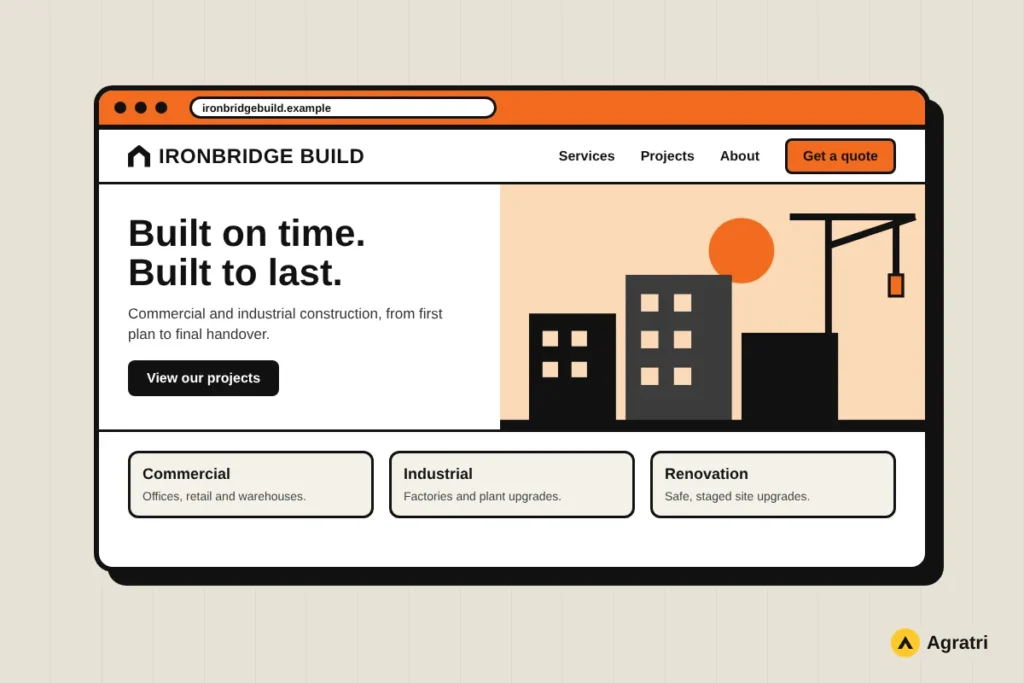
Buyers who search for a builder want three answers. First, what kind of projects do you handle? Second, can you prove it? Third, how do I ask for a price? So the top of your home page should answer all three before anyone scrolls.
Trust matters more here than in most trades. A client may hand you a large budget and many months of work. Because of that, a good construction company website shows real projects, clear services and honest contact details. Stock photos rarely build that trust, so use your own site photos wherever you can.
Speed matters too. Project photos are large, and many visitors arrive on a phone. As a result, a slow page loses people before they see your best work.
Pages every construction company website needs
You do not need fifty pages. You need the right ones, each with a clear purpose. A short, focused site often works better than a large one, because visitors find the answer faster.
- Home: a clear headline, one strong project photo, a quote button and three or four services.
- Services: one section or page for each type of work, such as commercial, industrial or renovation.
- Projects: finished jobs with a short note on size, place and what you delivered.
- About: who you are, how long you have worked, and the area you cover.
- Testimonials: real words from real clients.
- Contact or quote request: a short form, a phone number and your office address.
If you are not sure what to write on each page, a written plan helps. Our website design brief checklist shows how to collect that information before you start.
8 checks before you choose a theme
Many themes look good in a demo. Few stay good once your own photos and text go in. Use these checks in order, and test each one with your real content.
1. A project portfolio that shows scale
Your projects are your proof. Look for a portfolio layout that handles many photos and lets you add a short description to each job. Also check that the images open cleanly on a phone.
2. A layout built for services
A contractor and a factory builder do not need the same construction company website. Check that the demo has room for your service list, a process section and a contact block. A theme that already includes these pages saves hours of work.
3. A quote button on every page
Visitors should never hunt for the next step. Look for a header button or a sticky header that keeps the contact link in view. Then test it on a small screen.
4. Fast loading with real content
Demos feel light because they use small sample images. Add your own photos, then test the page. Google explains how to measure real page experience in its guide to Core Web Vitals. In addition, resize large photos before you upload them.
5. Easy editing without code
You will add new projects often. Pick a theme with a visual page builder or a live customizer. That way, you can update a project in minutes instead of waiting for a developer.
6. Clean structure for search
Customers search by service and place, so the theme should let you edit headings, menus, page titles and your address in plain text. Google describes how to mark up business details in its local business structured data guide. Also check that every page keeps one clear main heading.
7. Responsive design on every device
Site managers and buyers often browse from a phone on site. Open every demo page on a small screen. Check that menus, tables and galleries stay readable.
8. Support and updates
A construction company website needs care long after launch. Ask what happens when WordPress or a plugin changes. For a firm without a technical person, a clear update and support promise is worth checking from the start.
How Structure fits these checks
Structure is a WordPress theme for construction, engineering and architecture companies. Its product page lists the features, so you can compare them with the checks above.
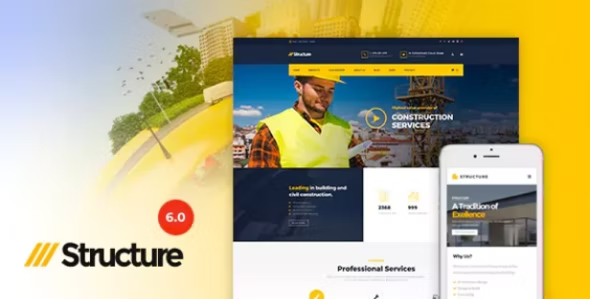
- It uses the WPBakery Page Builder for drag-and-drop editing, plus a Live Customizer to preview changes.
- It bundles Slider Revolution and Essential Grid, so you do not buy those plugins separately.
- It offers 16 or more color schemes, six or more header presets and a sticky header.
- It includes two project layouts, boxed and full-width, for showing finished work.
- One-click sample data import helps you start from the demo.
- It supports WooCommerce, Contact Form 7 and WPML for multilingual sites.
The product page also lists lifetime updates and dedicated support. You can read every detail on the Structure product page before you decide.
Keep in mind that a theme is a starting point, not a finished construction company website. You still need to add your own photos, wording and project details. The more real work you add, the more convincing the result will be.
If your firm is closer to design than to building, see our guide to choosing an architecture WordPress theme. For trades that serve local homes and businesses, our list of WordPress themes for local service businesses may also help.
Set up your construction company website in 5 steps
- Collect your content. Gather 10 to 15 of your best project photos, a list of services and a few client comments.
- Choose and install the theme. Install it, add the required plugins, then import the demo content.
- Replace the sample content. Swap in your photos, text, phone number and service area.
- Shrink your images. Resize large photos before you upload them, so the pages stay fast.
- Test on a phone. Open every page, tap every button and send a test quote request.
If you want the theme to match your brand or add a feature it does not have, our theme customization service can help.
Frequently asked questions
What pages should a construction company website have?
At minimum, you need a home page, services, projects, an about page and a contact page. Add a quote request form to the contact page.
Is WordPress good for a construction business?
Yes. WordPress handles galleries, forms and blogs well, and you can edit it yourself. A construction theme gives you the layouts, so your construction company website does not start from a blank page.
How many project photos should I show?
Show enough to prove your range, but not so many that the page feels slow. A gallery of your best 10 to 15 projects is a sensible start.
Do I need a custom design?
Not always. A ready-made theme is faster and costs less. A custom build makes sense when you need special features or a very specific brand look.
Can I sell products on a construction site?
Yes, if the theme supports WooCommerce. That helps if you sell materials, tools or equipment next to your services.
Next step
A good construction company website is simple, fast and full of your own work. It tells visitors what you build, where you work and how to reach you. Review the Structure product page, compare it with the eight checks, and pick the layout that fits your services. If you have a question about setup or changes, contact the Agratri team and we will help you decide.
Last reviewed: November 2026