WooCommerce development cost depends on three things: how much of your store is custom, how many tools it connects to, and who builds it. The plugin itself is free, so the bill comes from the work around it. This guide shows what you pay for, what moves the price, and how to budget before you ask for a quote.
You will not find one magic number here, and that is on purpose. Published guides disagree widely because stores differ widely. Instead, you will learn how to place your own store in the right range.
What does WooCommerce development cost cover?
First, the free plugin gives you products, a cart, checkout and basic order tools. Next, development work covers the paid jobs on top of that. Hosting, a domain and plugins count as platform costs, so they sit on a separate line of your budget.
Most quotes mix some of these jobs:
- Store setup and configuration
- Product and category structure
- Cart and checkout changes
- Payment gateway setup
- Shipping and tax rules
- Custom product page design
- Speed and security work
Our own WooCommerce development service lists these same jobs. It also includes training at handover, so you can add products and manage orders yourself. Ask every developer for a similar list, because a vague quote hides extra costs.
Typical price ranges and why they differ
Guides from 2026 show a very wide spread. For example, a WooCommerce budget guide from Codeable puts basic builds at about $1,500 to $8,000. It lists mid-level custom stores at $5,000 to $25,000, and complex builds above that. Treat these as market ranges, not as Agratri prices.
So why is the spread so large? First, developer rates change with experience and location. Scope matters even more, because a small catalogue with standard checkout is a very different job from a store with custom pricing rules.
Here is a simple way to think about it:
- Basic store: standard products, standard checkout and only light theme changes.
- Mid-level store: custom product displays, checkout changes and a few integrations.
- Complex store: custom plugins, ERP or CRM links, and B2B or multi-vendor features.
Your own WooCommerce development cost will fall into one of these tiers. First, find the tier that matches your store. Then refine the estimate with the six factors below.
Six factors that move your WooCommerce development cost
Every quote comes from the same six levers. Know them, and you can predict where your price will land.
Design and theme choice
Design is often the biggest swing in WooCommerce development cost. A ready-made theme costs far less than a design built from zero. Also, a custom layout needs design time, build time and testing. Many stores do not need that, because a good theme already covers the shop, product and cart pages.
Custom features
First, every feature that WooCommerce does not include adds hours. Examples are product configurators, custom pricing rules and special checkout fields. Therefore, list your must-have features first, then cut the rest.
Integrations
Connecting your store to a CRM, an inventory system or a shipping carrier often costs more than people expect. Besides, each tool has its own rules and its own data format. So ask for every integration to be priced on its own line.
Catalogue size and store scale
First, more products mean more categories, filters and imports. High traffic also needs a stronger setup behind the scenes. As a result, a store with thousands of items needs more planning than one with fifty.
Speed and security
Slow pages lose buyers, so speed work belongs in your budget. Next, Google measures loading, interaction and layout stability through Core Web Vitals. A good score means the main content loads within 2.5 seconds, clicks respond within 200 milliseconds, and layout shift stays at or below 0.1. Security hardening matters too, because it protects customer data and payments.
Timeline and developer rate
Rushed projects cost more, since developers must move other work aside. Rates also vary by region and skill. In short, a clear deadline and a clear scope are the cheapest tools you have.
Premium theme or custom build: which saves money?
Choosing this path early is the best way to control WooCommerce development cost. For most small and mid-size shops, a premium theme plus targeted custom work gives the best value. You pay once for the design, then spend developer time only where your store is truly different. A full custom build makes sense when your brand or your business rules do not fit any theme.
Agratri lists several store themes in its WooCommerce themes roundup, including XStore, Minimog and Elessi. Each product page states its own features, so you can compare them with your feature list. Also, our guide on theme customization vs custom theme explains the same trade-off for any WordPress site.
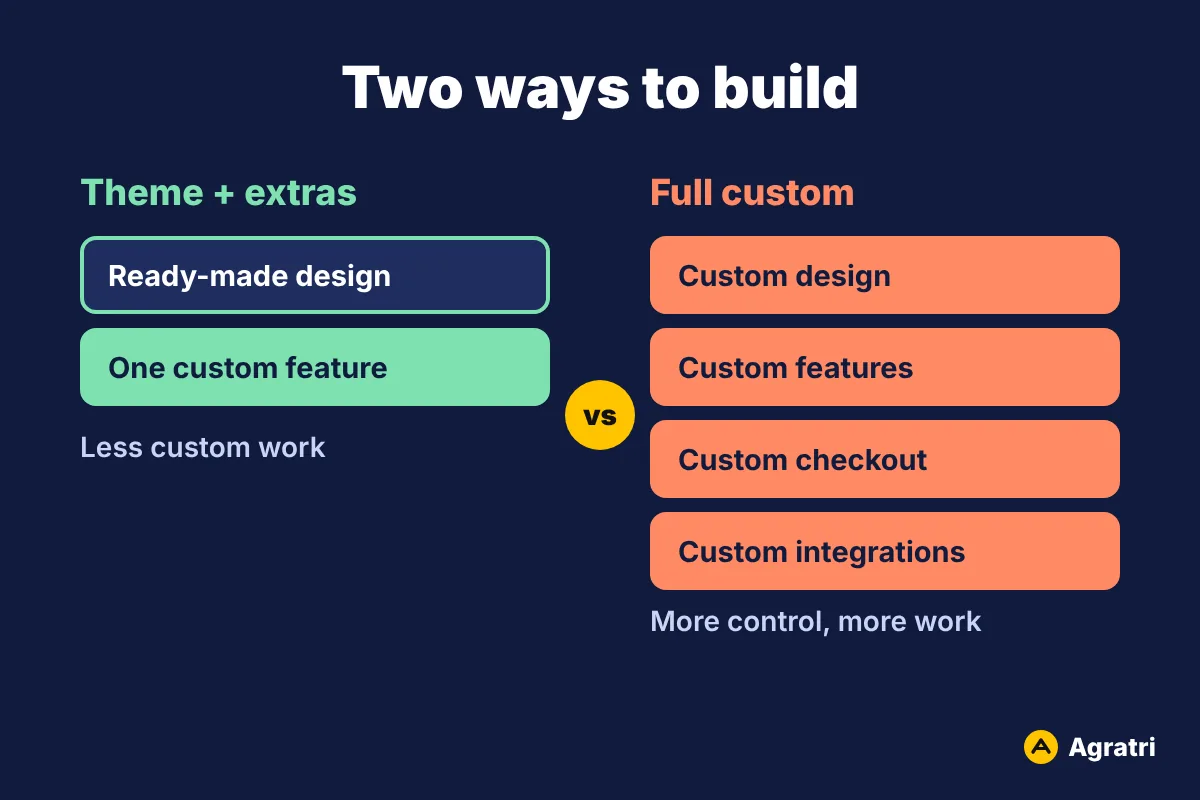
So here is a rule of thumb. If a theme covers most of your pages and you need only a few extras, customize it. If you must rebuild the checkout, the product model and the admin flow, plan a custom build. The second path raises your WooCommerce development cost, but it also gives you full control.
How to budget your store step by step
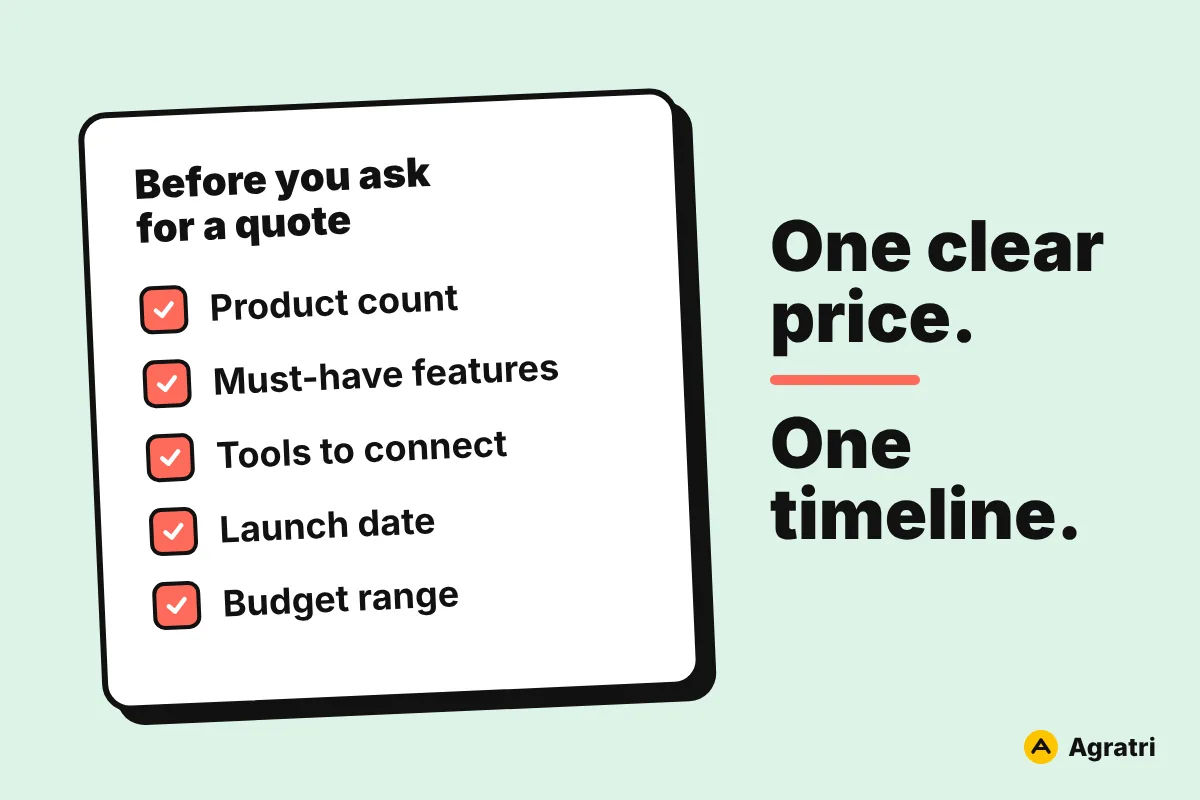
- List what you sell. Note the product count, product types and variations.
- Write your must-have features. Separate real needs from nice-to-haves.
- List the tools to connect. Include payments, shipping, email and accounting.
- Pick your design route. Choose a ready-made theme or a custom design.
- Set a launch date. A fixed date shapes both the plan and the price.
- Ask for one price and one timeline. Make sure every line item is written down.
- Keep a reserve. Set some budget aside for changes after testing.
Likewise, our service follows the same path. You share your store plan, get a fixed quote, and then the team builds and tests the store before launch. For a deeper look at the platform itself, the official WooCommerce getting started documentation is a useful free reference.
Budget mistakes that raise your WooCommerce development cost
However, most overruns come from a few repeat mistakes. Avoid them, and your quote will stay close to your final bill.
- No written scope. Without a list of pages and features, every change becomes extra work.
- Features added mid-project. Each new idea pushes back the timeline and raises the price.
- Too many plugins. Extra plugins slow the store and cause conflicts that a developer must fix.
- A theme sold as a custom build. Ask what is truly custom and what is simply a configured theme.
- Skipped upkeep. Outdated plugins lead to costly fixes later.
In short, a clear scope is the cheapest way to hold down WooCommerce development cost. Write it down before the first line of code.
Ongoing costs after launch
However, your budget does not end at launch. Plugins, WooCommerce and WordPress need regular updates, and backups protect your orders. Hosting and payment gateway fees also repeat each month or year. As a result, your yearly WooCommerce development cost should include a small line for upkeep.
So plan for care from day one. Our checklist on what to check in a WordPress maintenance plan shows what a good plan includes before you sign. In the long run, regular care costs less than fixing a broken checkout during a sale.
Frequently asked questions
How much does WooCommerce development cost for a small store?
It depends on your scope, so there is no single price. One published 2026 guide puts basic builds between about $1,500 and $8,000. A ready-made theme with light changes sits at the low end of that range.
Is WooCommerce free to use?
The plugin is free. However, hosting, a domain, a theme, extra plugins and developer time all cost money. Payment gateways also charge their own fees on each sale.
Do I need a custom theme for WooCommerce?
Not always. A premium theme with a few custom changes covers most shops. Choose a custom design only when your brand needs a layout that no theme offers. Otherwise, the extra spend rarely pays back.
What affects the price the most?
Custom features and integrations usually move WooCommerce development cost the most. Design choice and speed work come next. A clear scope keeps all of them under control.
What should I prepare before I ask for a quote?
First, prepare your product count, feature list, tools to connect, launch date and budget range. With these details, a developer can give you one clear price and one timeline.
Plan your store with Agratri
Ready to put numbers on your store? First, tell us what you sell, how you ship and which payment methods you need. You get one price and one timeline before work starts, so your WooCommerce development cost has no surprises. Contact us to plan your shop.