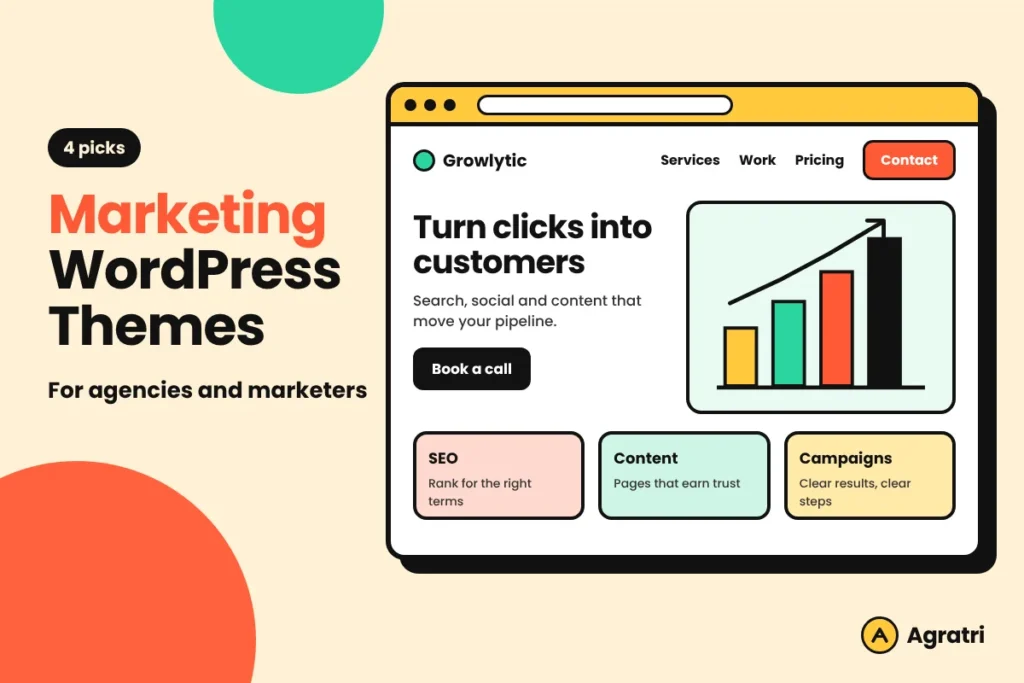
Marketing WordPress themes give an agency or a solo marketer a ready-made site that shows services, results and a clear way to get in touch. This list covers four themes from the Agratri collection. You will see what each one offers, who it suits and how to choose between them.
A marketing site has one main job. It must prove that you get results, and then it must make the next step easy. Because of that, the flashiest layout is not always the right one among marketing WordPress themes. Instead, look for a theme that gives you case studies, service pages and a clear contact path from day one.
First, three of the four themes target SEO and digital marketing firms. Then the fourth suits affiliate marketers who compare products. As a result, you can match your own business model to the right starting point among these marketing WordPress themes.
How we picked these marketing WordPress themes
These are picks from the Agratri collection, not an independent ranking of every theme on the market. We used only what each product page states, so nothing is invented. So every description of these marketing WordPress themes stays easy to check, because you can open each page.
We used five simple criteria:
- Fit for a marketing, SEO or affiliate website, based on how the product page describes its target sites.
- A clean, responsive layout that works on phones and desktops.
- Ready homepages or demo content, so you do not start from a blank page.
- A page builder that a non-developer can learn in a short time.
- Update and support details stated on the product page.
Every theme links to its own page on agratri.com. First, read that page for the full feature list. Also remember that a theme is only the start, because your copy, proof and offer matter just as much as the layout.
Quick comparison table
This table puts the four marketing WordPress themes side by side. First, check the type and the best use. Then open the product page for details.
| Name | Type | Best for | Details |
|---|---|---|---|
| Marrky | WordPress theme | SEO and digital marketing agencies, freelancers and consultants | View details |
| Onum | WordPress theme | SEO and digital marketing companies that build with Elementor | View details |
| Wekala | WordPress theme | Agencies that also want a portfolio or multipurpose site | View details |
| Blurb | WordPress theme | Affiliate marketers with review and comparison sites | View details |
The 4 marketing WordPress themes we picked
We start with the theme that has the most agency-style content types. Then we move toward the more specialized choices.
1. Marrky: SEO and digital marketing agency WordPress theme

Marrky is a conversion-focused theme for digital marketing, SEO, growth, advertising and branding agencies. Freelancers and consultants can also use it. The product page says it shows the numbers and the work behind them. As a result, a visitor can move from a claim to a case study in one click.
First, each case study gets its own details page. It includes a strip for client, industry, services and duration, plus headline figures and a gallery. In addition, case study categories become filter buttons on your grid.
Key features
- Three home layouts: a light agency layout, a dark variant and an SEO or growth layout with a lead-capture hero.
- Four custom content types: Services, Case Studies, Team and Testimonials.
- Elementor with 25 custom widgets, and a light or dark color scheme that you can set per page.
- Styling for Contact Form 7 and a newsletter band that takes a Mailchimp for WordPress shortcode.
- WooCommerce pages that match the site, so you can sell audits, templates or courses.
Who it suits: Among marketing WordPress themes, Marrky fits a firm that wants proof first. Because case studies and services are real content types, you edit an item once and it stays correct everywhere. The page lists Elementor, Bootstrap 5.3 and WordPress 6+ as the base.
What to check: The motion uses GSAP, Swiper and Lenis. So test the demo on a real phone before you commit. View Marrky to read the full list of pages.
2. Onum: SEO and marketing Elementor WordPress theme

Onum is a business theme designed for SEO and digital marketing companies, and for anyone who sells SEO services. It comes with the Elementor page builder, so you can design pages by drag and drop. The page also says it is built with SEO best practices in mind.
The product page lists a version of 1.2.16.18 from April 2026 and says the theme is ready for WordPress 7.x. As a result, you can see at a glance that it is kept current. Please check the page for the latest version before you buy.
Key features
- Nine predefined homepage layouts, all included in the demo content file.
- Six header layouts and three footer layouts, plus unlimited custom ones in Elementor.
- One-click demo content and a real-time WordPress Customizer.
- Slider Revolution, Polylang support and more than 1,480 Google Fonts.
- Compatible with WooCommerce 10.x, with 31+ PSD files after purchase.
Who it suits: Of these marketing WordPress themes, Onum suits an SEO company that wants many homepage choices. First you pick a layout, then you import the demo, and finally you swap in your own copy. In addition, the PSD files help if a designer needs to match your brand.
What to check: However, the theme requires the Elementor plugin. Also keep Slider Revolution only if you plan to use sliders, because fewer plugins usually mean faster pages. View Onum for the full requirements.
3. Wekala: Digital agency and marketing WordPress theme
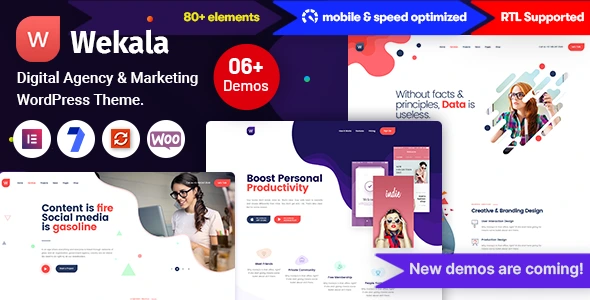
Wekala is a digital agency and marketing theme with a wide scope. The product page says it suits business, corporate, agency, portfolio, photography, personal and resume sites. So it works for a marketing studio that also wants to show creative work.
It comes with 6+ homepages, 19 inner pages and 100+ sections or blocks. Because the blocks are ready, you can build a new page without starting from zero.
Key features
- 6+ homepage layouts, 19 inner pages and 100+ sections or blocks.
- Elementor drag and drop, with a mega menu plus header and footer builder.
- One-click installation and a one-page navigation option with smooth scroll.
- Slider Revolution, parallax and video backgrounds.
- Mailchimp integration, unlimited color options and child theme readiness.
Who it suits: Wekala is the most flexible of the marketing WordPress themes here. It suits a small agency that wants one theme for services, portfolio and blog. For example, you can use a one-page layout for a campaign and a full layout for the main site. However, it is broader than Marrky or Onum, so it has fewer marketing-specific content types.
What to check: Plan time to trim the pages you will not use. Also review the page copy for the exact list of included plugins. View Wekala to compare the details.
4. Blurb: Affiliate marketing WordPress theme
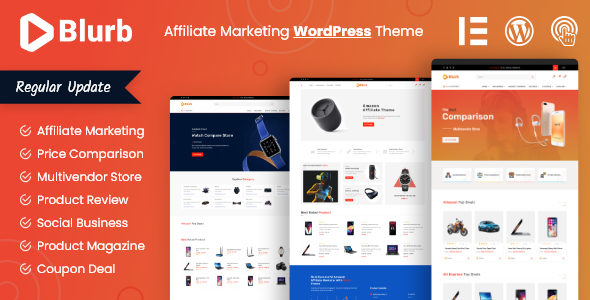
Blurb is different from the other three marketing WordPress themes. It is built for affiliate marketers who run price comparison, product review and coupon sites. The page also mentions a multi-vendor store, so it can cover more than one seller.
The idea is simple. First, visitors compare products by rating, review, quality and feature. Then they click through to the offer. As a result, the theme puts reviews and comparisons at the center instead of agency case studies.
Key features
- Three home pages and an automatic product comparison filter.
- Review, coupon and product pages with different layouts.
- Coupon and cashback options, plus a multi-vendor shop page.
- Custom Ajax search and an extended user review system.
- 70+ custom elements for the Elementor page builder.
Who it suits: Blurb suits an affiliate marketer or a review publisher. In addition, the page says it is SEO friendly and adds Twitter and Open Graph tags. The newsletter area is MailChimp friendly, which helps with list building.
What to check: This is not an agency theme, so skip it if you sell services. Also read the page for plugin needs before you start. View Blurb for the complete feature list.
What to look for in marketing WordPress themes
Choosing from marketing WordPress themes gets easier with a short checklist. Use these seven points to compare any theme, not only the four above. Because every business is different, weigh each point against your own plan.
- Proof pages. Case studies, results and testimonials win trust, so the theme should give them a proper place.
- A clear contact path. Visitors should see a button or form without hunting, because every extra click loses leads.
- Ready homepages. Demo layouts save days, since you can swap text and images instead of building each section.
- A page builder you can learn. Your team will edit often, so the editor should feel simple.
- Speed on mobile. Most first visits start on a phone, so test the demo with Google PageSpeed Insights before you commit.
- Search basics. Clean headings and fast pages help your rankings, and the Google SEO starter guide explains the rest.
- Form and email support. Look for Contact Form 7 styling and a newsletter option, because they turn visits into leads.
How to set up your marketing site in five steps
Once you pick one of the marketing WordPress themes, a simple plan keeps the launch on track. Most teams can finish these steps in a few days, so do not wait for a perfect design.
- Write the page goal first. Decide whether the site must book calls, collect emails or sell a plan. Then build every section around that one action.
- Choose one demo. Pick the layout closest to your offer first. Next, remove the pages you will not use.
- Add real proof. Next, replace sample text with your own services and results. Also use only figures that you can back up.
- Connect forms and email. First, set up your contact form and newsletter. Also check that the thank-you page works.
- Test, then publish. Check the site on a phone and a laptop. Finally, run a speed test and compress the largest images.
For more on which pages a marketing firm needs, read our guide to digital marketing agency website pages. If you want more studio-style options, see our roundup of agency themes for your studio.
When a custom build beats a ready-made theme
Ready-made marketing WordPress themes are the right start for most marketing firms. They are quick and low in cost. In addition, they are easy to change later. However, some brands need more than a demo can give.
A custom build makes sense when you need a unique client portal or a layout that no demo matches. Even so, a smaller step is often enough. Our team can adapt a theme through theme customization, and for larger needs we offer theme development.
If you still compare page builders, our roundup of Elementor-based themes for business sites can help.
Frequently asked questions
What makes marketing WordPress themes different from other themes?
They put proof and lead capture first. For example, they give you case studies, service pages and contact forms from the start. A general theme can do this too, but you must build each part yourself.
Do I need Elementor for these themes?
Three of these marketing WordPress themes use Elementor: Marrky, Onum and Wekala. Blurb adds 70+ custom Elementor elements. Onum states that it requires the Elementor plugin. Please read each product page for the current requirements.
Can a freelancer or consultant use these themes?
Yes. For example, the Marrky page says it also fits freelancers and consultants who sell marketing work. Onum targets anyone who offers SEO services. As a result, a solo marketer can use these marketing WordPress themes without an agency team.
Can I sell products or services on the same site?
Often, yes. For example, Marrky is WooCommerce ready, and Onum lists compatibility with WooCommerce 10.x. In addition, Blurb includes a multi-vendor shop page. Also check the product page for the exact setup.
Is an HTML template an option instead?
It can be, if you do not need a content management system. Marrky is also available as a digital marketing agency HTML template. Our comparison of HTML templates and WordPress themes explains the trade-offs.
Next step
Pick the theme that matches your business model, then open its page for the full details. Whichever of the marketing WordPress themes you choose, start small and improve the site after launch. You can browse every option on our products page, or contact us if you want help choosing.
Last reviewed: November 2026