A price comparison website lets shoppers see the best deal in one place, and it can earn you affiliate commissions. This guide walks through seven steps to build one with WordPress. It also shows where a ready-made theme saves weeks of work. By the end, you will know what to set up first and what to check before launch.
What a price comparison website does
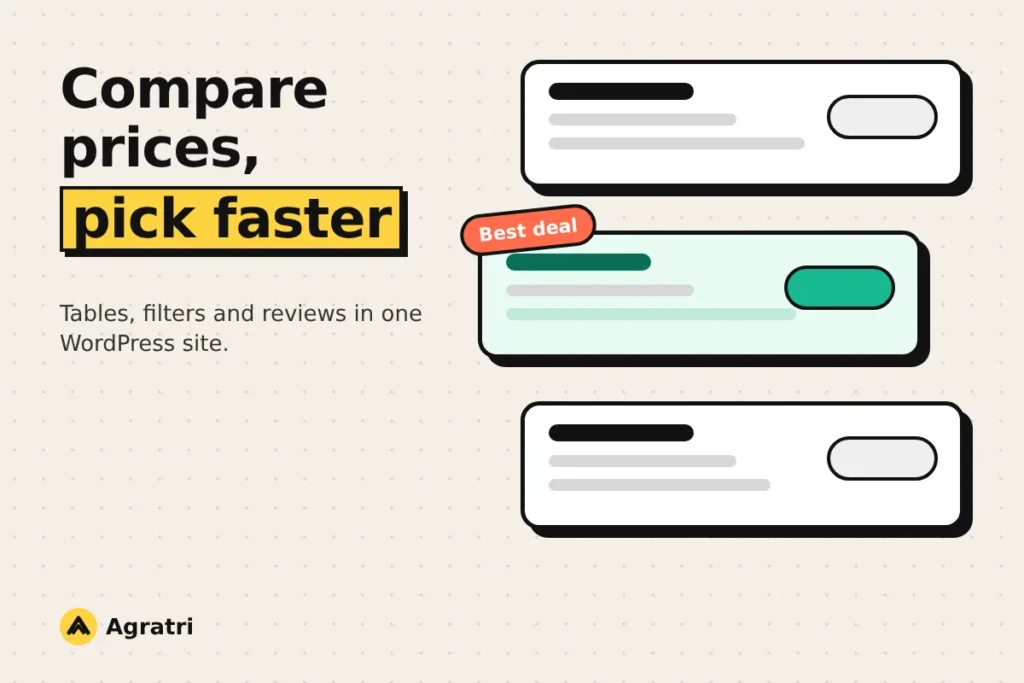
A price comparison website lists the same product from several sellers. Also, visitors see prices, ratings and features side by side. Then they click through to the seller they prefer. For example, a reader who wants a coffee machine can compare five offers in one table instead of opening five tabs.
You earn money when a visitor buys through your link, if the seller runs an affiliate program. In addition, some sites add coupons or cashback. However, the model only works when your pages stay useful and honest. As a result, visitors return to the site that saves them time.
Because of this, the theme and the data setup matter more than the logo. A good setup keeps tables readable, filters fast and reviews easy to find.
7 steps to build a price comparison website
Follow these steps in order. Each one builds on the last, so skipping ahead usually costs time later.
1. Pick a niche with clear product data
So start narrow. A site about every product is hard to keep current. However, a site about one group, such as kitchen tools or hiking gear, is easier to manage.
Next, look for products that have clear specs, many sellers and steady search interest. Also check that the sellers offer affiliate programs, because that decides how you earn.
2. Decide where your prices come from
You have three common options. First, add offers by hand, which suits a small catalog. Next, import product feeds in CSV or XML files, which suits a larger one. Finally, use a plugin that pulls prices from the sellers. Each option costs either time or money, so match the choice to the size of your catalog.
Whatever you choose, plan for old prices. Otherwise, a table that shows a wrong price loses trust fast. Therefore, add a note with the date of the last update, and remove expired offers.
3. Choose a theme built for a price comparison website
A general business theme can show a table, but it will not manage offers, filters and reviews for you. A comparison theme includes these parts from the start. As a result, you spend your time on content instead of code. Look for these features:
- Comparison tables that work well on phones
- Filters by price, rating or feature
- Review and rating layouts
- Support for several sellers per product
- Coupon or deal pages, if you need them
- A page builder you already know
Support and updates matter here too. Our guide to the free theme or premium theme decision lists nine checks to run first.
4. Set up tables, filters and product pages
Tables carry the whole price comparison website. So keep the columns few, put the price and the buy button first, and let the table scroll on small screens. Then add filters, so visitors can narrow the list by price or feature.
Finally, give each product its own page with specs, a short verdict and all current offers. A clear product page often serves visitors better than a long list of links.
5. Add reviews and ratings
First, reviews turn a list of prices into a useful guide. Next, write short, honest reviews in your own words, and explain who each product suits. In addition, let visitors rate products if your theme supports it. Rating layouts also help people compare options quickly.
6. Disclose your affiliate links
Tell visitors when you earn a commission. Then put a short note near the top of each page, and repeat it near the buy button. In the United States, the FTC explains what clear disclosure looks like in its endorsement guides FAQ.
Also mark paid links the right way. Google advises that affiliate links carry the sponsored value in the rel attribute, as its guide to qualifying outbound links explains.
7. Keep the site fast
A price comparison website carries many images, logos and scripts. So speed needs attention from day one. Then compress the images, limit the plugins and test the pages on a phone. Our breakdown of WordPress speed optimization cost shows what a professional tune-up involves.
Two price comparison website themes from the Agratri collection
If you want a starting point, two themes in our collection list comparison features on their product pages. We describe only what those pages state. So check the details and the demos before you buy.
Blurb: affiliate marketing WordPress theme

Blurb targets affiliate marketers who want product comparison, reviews and a multi-vendor shop in one theme. The page also mentions coupon and cashback options.
The product page lists these features:
- Three home page layouts
- An automatic product comparison filter
- Price comparison functions and support for multiple vendors per product
- Review list and grid views, with an extended user review system
- More than 70 custom elements for the Elementor page builder
View Blurb to read the full list.
REHub: price comparison and multi-vendor theme

REHub is a hybrid theme. Its page says it covers affiliate blogs, price comparison, reviews, deal sites and multi-vendor shops. Also, you can use each part on its own or combine them on one site.
The product page lists these features:
- Price and product comparison, with dynamic price updates through Content Egg or a bulk import tool
- Versus pages and specification comparison
- Extended user reviews with table builders
- Multi-vendor support for each product
- Bonus plugins, including a tool for bulk importing XML and CSV feeds
View REHub to see everything it includes.
Both themes need setup time. However, they spare you from building tables, filters and review layouts from scratch. For other multi-seller options, see our roundup of marketplace WordPress themes.
Checklist before you launch
Run through this list once the first products of your price comparison website are live:
- Every table works and reads well on a phone
- Each price shows the date of its last update
- Affiliate links carry the sponsored value and a clear disclosure sits nearby
- Filters return the right products
- Each product page has specs, a verdict and current offers
- No expired offers remain
- The main pages load fast on mobile
When a custom build makes sense
A ready-made theme covers most needs of a price comparison website. However, some projects need a special table design or a custom feed import. In that case, our theme customization service adapts a theme to your niche, colors and features.
If you are not sure which path fits, tell us about your project and we will suggest the simplest route.
Frequently asked questions
How does a price comparison website make money?
Most sites earn affiliate commissions when visitors buy through their links. Some also add ads, coupons or cashback. Check the rules of each seller’s program first.
Do I need a plugin for a price comparison website?
It depends on your theme and your data source. Some themes include comparison tables and import tools. Others, however, need a plugin to update prices.
Can WordPress handle a large catalog?
Yes, because good hosting and tidy data keep a large catalog fast. Also test the speed early, and keep the images small.
How often should prices update?
As often as the sellers change them. For example, daily updates suit fast-moving products. In any case, show the date of the last check.
Do I have to disclose affiliate links?
In many places, yes. Check the rules where you operate, and read the FTC guidance if you reach readers in the United States.
Start with a theme that fits the job
The best price comparison website is one visitors trust and can use on a phone. Pick a niche, choose your data source, and test the theme demo before you commit.
Ready to look? Browse all WordPress themes and HTML templates from Agratri, or contact the team if you want help to choose.
Last reviewed: November 2026