A political campaign website has one job: turn visitors into supporters. People arrive from a news story, a flyer or a friend, and they decide within seconds whether to stay. This guide gives you eight checks to run before you pick a theme, so your site is clear, fast and easy to update.
We wrote these checks for candidates, small parties and local groups. They apply to any WordPress theme, and the last section shows how one Agratri theme fits them.
What a political campaign website needs to do
Before you compare themes, write down what the site must do. Most campaign sites share three goals. First, explain who the candidate is and what they stand for. Second, ask for action, such as a sign-up, a volunteer form or a donation. Third, keep supporters informed with news and events.
A theme cannot write your message. However, it can make that message easy to find. So judge every theme by how well it supports these goals, not by how many effects it has. Our guide to a website design brief helps you put your goals on one page.
Check 1: Put one clear action above the fold
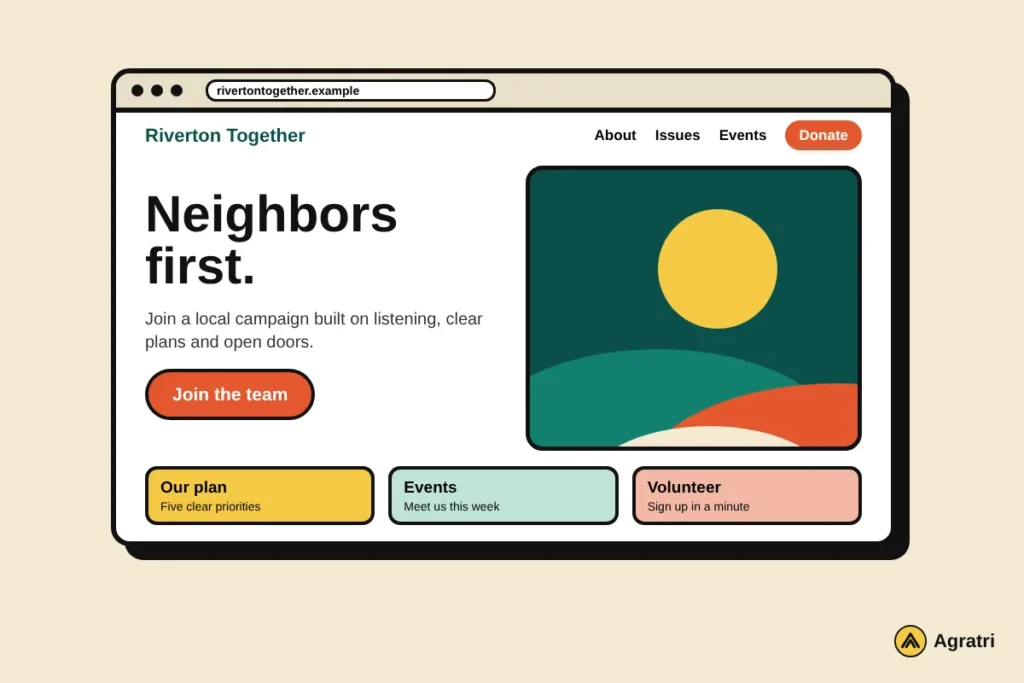
Visitors should know what to do within five seconds. Pick one main action for the home page, such as “Join the campaign” or “Donate”. Then check that the theme lets you place that button on the first screen.
A theme with several home page layouts helps here. You can compare which layout puts the action first. Also confirm that the button stays visible on a phone.
Check 2: Show who is behind the campaign
Trust decides whether a stranger gives time or money. So the theme needs room for an about page, a candidate story and a clear contact page. Add photos of real people and real events.
In addition, look for a layout that shows your priorities in short blocks. Readers skim, so each issue should have a title and two sentences. Long walls of text lose visitors.
Pages most campaigns need
- About the candidate or group
- Issues or platform
- News and updates
- Events
- Volunteer sign-up
- Donate
- Contact and privacy pages
Check 3: Plan for sign-ups and donations
Money and contact details are the core of a campaign. First, find out which donation plugin the theme supports. Some themes name a plugin, while others leave you to guess. Second, check the form tools. A sign-up form should connect to your email service, so new supporters reach your list without extra steps.
Also ask who handles payments. A donation plugin or payment provider should process card details, not the theme. Rules for political donations differ by country and region, so check them with your local election office or a lawyer before you collect money.
Check 4: Test speed on a mobile phone
Most supporters will open your link on a phone. A slow page loses them before they read a word. Therefore, test the demo of every theme on a mobile connection. Look at how long the first screen takes to appear and whether the layout jumps while it loads.
Google explains these measures in its guide to Core Web Vitals. Use it as a simple yardstick. As a result, you can compare themes with facts instead of opinions. Also keep sliders and effects modest, because every extra effect adds weight.
Check 5: Support more than one language
Many communities speak more than one language. If yours does, choose a theme that works with a translation plugin. Check that menus, buttons and forms can be translated, not only the page text.
Look for a note about translation files on the product page. If a theme does not mention translation at all, ask the seller before you buy.
Check 6: Make updates simple for a small team
Campaigns move fast. A new event, a news item or a correction may need to go live within an hour. So choose a theme with a visual page builder that volunteers can learn quickly.
Then check the documentation. Clear guides save hours when the person who built the site is not available. Also look for a one-click demo import. A demo gives you a working layout to edit, instead of a blank page.
Check 7: Protect visitor data and keep access tight
Your site will hold names, email addresses and messages. Therefore, treat security as part of the choice. Buy themes from sellers that provide updates and support, and read our guide on how to check if a WordPress theme is safe before you install anything.
Keep WordPress, the theme and every plugin up to date. Give each team member a separate login with only the access they need. Add a privacy page that says what you collect and why, because many places expect one. Finally, make a backup before every big change.
Check 8: Plan the launch and the days after
The weeks before an election are busy, so launch early. Test every form, button and link on a phone and a laptop. Next, ask a friend who has never seen the site to find the donate page. If they struggle, fix the layout.
After launch, plan the upkeep. Decide who posts news, who answers messages and who checks updates each week. A WordPress maintenance plan can cover the technical side, so your team can focus on voters.
Common mistakes on a campaign site
Even a good theme cannot fix a weak plan. These mistakes appear often, so watch for them:
- Too many buttons on the home page, so no action stands out.
- Stock photos instead of real people and real events.
- Donation and sign-up forms that were never tested on a phone.
- No named person who owns updates, so the news page goes quiet.
Each one is easy to avoid when you plan for it early. For example, a short weekly checklist keeps news, events and forms current.
How Potisen fits a political campaign website
Agratri offers Potisen, an election and political WordPress theme. Its product page describes it as a theme for politicians, political parties, candidates, activists and election campaigns. It also lists non-profit use, such as charity and fundraising sites.
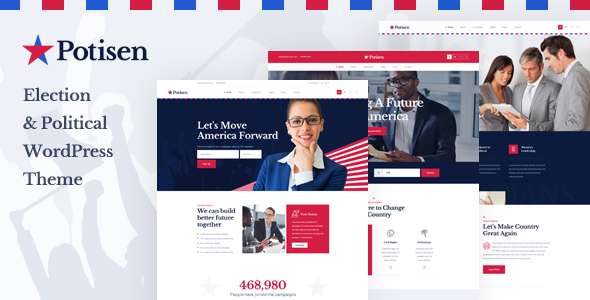
The product page states these features:
- Four home page styles and one-click demo import
- Elementor page builder, with Slider Revolution included
- Integration with the Give donation plugin, Mailchimp for WP and Contact Form 7
- WPML support and translation-ready files
- Child theme compatibility, plus full documentation
Measured against our checks, Potisen covers the page builder, demo import, donation plugin, email sign-up and translation points. You still need to test speed on your own hosting and write your own content. Open the product page for the full list.
Frequently asked questions
What does a political campaign website cost?
The cost depends on the theme, hosting, plugins and any design work. Ask for written quotes and list every item, so you can compare them fairly.
Which pages does a campaign site need?
Most sites need an about page, a platform page, news, events, a volunteer form, a donate page, contact details and a privacy page.
Can I use a ready-made theme for a campaign?
Yes, for most campaigns. A ready-made theme is faster to launch and easier to update. Custom work makes sense only when your needs are unusual.
How early should I launch the site?
Launch as soon as your message is ready. Voters form opinions well before election day, so an early site has more time to build a supporter list.
Do I need a developer to run the site?
Not always. A page builder lets a small team add news and events. However, custom forms or system links may need a developer.
Ready to build your campaign site?
Look at the Potisen theme page, or tell us what your site needs. Contact the Agratri team with your timeline and goals.
Last reviewed: November 2026