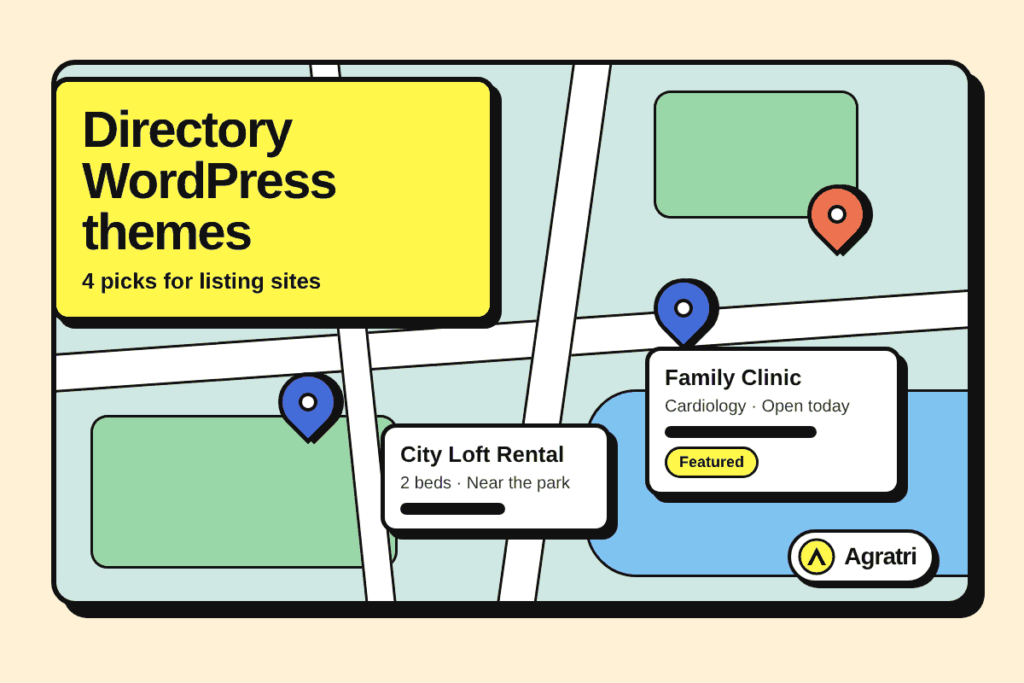
Directory WordPress themes turn an ordinary site into a searchable listing platform. This list covers four themes from the Agratri collection that suit classifieds, doctor listings, comparison sites and booking portals. You will see what each one offers, who it fits, and how to choose between them.
A directory site has a clear job. Visitors must find the right listing fast, and the owner must collect submissions and payments. Because of this, the theme needs strong search, user accounts and a clean listing page. So we picked each theme with that job in mind.
The four picks cover different models. One is a classified ads platform, one is a medical directory, one is a hybrid listing and comparison theme, and one is a travel booking marketplace. As a result, you can match the theme to your own idea instead of forcing a generic layout to fit.
Before you start, know that directory WordPress themes differ in how much they handle on their own. Some bundle submissions, payments and messaging, while others rely on extra plugins. So decide early which features you need on day one.
How we picked these directory WordPress themes
These are picks from the Agratri collection, not an independent ranking of every theme on the market. We looked only at what each product page states. As a result, the descriptions stay honest and easy to check.
We used five simple criteria for these directory WordPress themes:
- Fit for a listing, directory or marketplace site, based on how the product page describes its use.
- Search and filter tools that help visitors narrow results.
- A way to accept submissions, reviews or bookings from users.
- Demo content or ready layouts, so you do not start from a blank page.
- Update notes, documentation and support options stated on the product page.
Every theme below links to its own page on agratri.com. Please read that page for the full feature list before you buy. Also remember that a theme is only the start, because your listings, categories and trust signals matter just as much as the layout.
Quick comparison table
This table compares the four directory WordPress themes side by side. First, check the type and the best use. Then open the product page for details.
| Name | Type | Best for | Details |
|---|---|---|---|
| Listivo | WordPress theme | Classified ads and general listing sites built with Elementor | View details |
| Doctreat | WordPress theme | Doctor, hospital and pharmacy directories | View details |
| REHub | WordPress theme | Listings, comparison and multi-vendor sites in one theme | View details |
| Book Your Travel | WordPress theme | Tours, hotels, cruises and car rental with vendor listings | View details |
The 4 directory WordPress themes we picked
1. Listivo: Classified ads WordPress theme

Listivo is a classified ads theme that also fits general listing sites. The product page says it works for automotive, real estate, services, jobs and rentals. It runs on the Elementor page builder, so you can edit pages by drag and drop.
The theme focuses on speed and money. For example, the search engine returns results without page reloads, and payment packages let you charge for ads. This mix suits an owner who wants to grow a busy marketplace.
Key features
- 200+ Elementor widgets built for directory and listing sites.
- 11 demos with one-click import, including automotive, real estate and services.
- Payment packages, Stripe subscriptions and WooCommerce payment gateways.
- Google Maps and OpenStreetMap for location search.
- Review system, direct messaging and Yoast SEO integration.
Who it suits: Listivo fits founders who plan to charge for ads or featured listings. Among directory WordPress themes, it is the one most focused on paid classifieds. First you pick a demo, then you set up packages, and finally you open the site to sellers.
What to check: Listivo needs Elementor, so make sure your team likes that editor. Also test search speed with your own number of listings, because large sites behave differently.
View Listivo to see the complete list of features and demos.
2. Doctreat: Doctors and hospitals directory theme
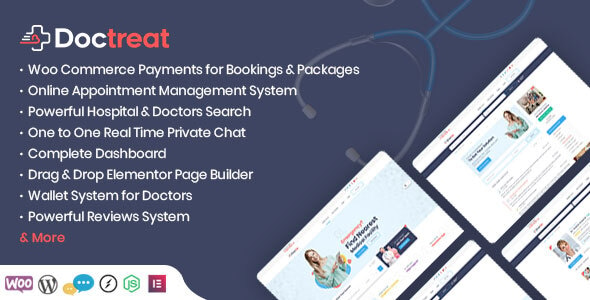
Doctreat is a listing theme for hospitals and doctors. Its product page describes it as an online solution for patients, with user-based directories at its core. Doctors, hospitals and regular users also get their own account type.
The design aims at easy navigation and clear visual order. In addition, the theme adds tools that medical directories need, such as reviews and private chat. So it saves you from building those parts yourself.
Key features
- A detailed dashboard and a powerful search for doctors and hospitals.
- A private one-to-one chat inbox between users.
- A review system with multiple ratings and a moderation option.
- Favorite lists, featured doctors and detail pages for doctors and hospitals.
- Package management with WooCommerce payments, plus one-click demo and user import.
Who it suits: Doctreat suits health networks, clinics and local medical portals. Pharmacies can also register and sell products through the Dokan Lite plugin. However, Dokan Pro is not part of the theme, so buy it separately if you need it.
What to check: The page notes that preview images are not included in the package. So plan your own photos before launch. For a deeper buying checklist, read our guide on the doctor directory theme checks.
View Doctreat for the full list of options.
3. REHub: Listings, comparison and multi-vendor theme

REHub is a hybrid theme that covers many online business models. First, its product page lists listings, price comparison, reviews, multi-vendor shops, deal sites and affiliate blogs. You can use each part alone or combine them on one site.
This range makes REHub a flexible base. For example, you can start with a listing section and add a comparison table later. Because everything lives in one theme, you avoid switching tools as the site grows.
Key features
- Listings, versus comparison pages and specification builders.
- Price and product comparison with dynamic price updates through Content Egg or a bulk import tool.
- Multi-vendor shops and support for several vendors per product.
- Bonus plugins listed on the page, such as RH Frontend PRO for front-end submission.
- Top list builders, top tables and many post templates.
Who it suits: REHub suits publishers and affiliate site owners who want listings plus content. Among directory WordPress themes, it is the broadest in scope. However, a wide theme takes more time to learn, so allow a few days for setup.
What to check: Turn on only the modules you need, because extra features can slow a site. If you plan a comparison site, see our guide on how to build a price comparison website.
View REHub to check the bonus plugins and modules.
4. Book Your Travel: Booking and listings theme for tourism
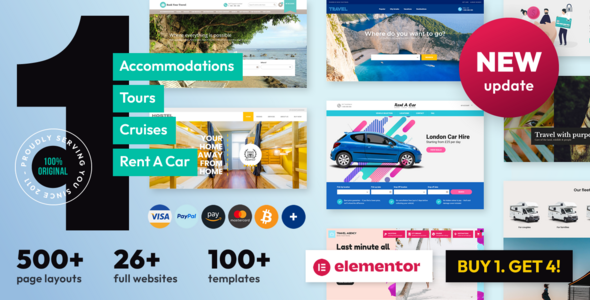
Book Your Travel is a responsive theme with an online booking and reservation system. The product page says it was designed for travel agencies, tour operators, cruise operators and car rental companies. It also includes a marketplace area where vendors submit and manage their own listings.
This makes it a directory of services you can book. Then visitors search by date, check availability and pay online. As a result, the site works as both a catalog and a shop.
Key features
- Booking modules for rooms, single properties, tours, cars and cruises.
- An availability checker with advanced search filtering.
- A review system for guests who complete a booking.
- Destinations pages that connect your services and deals in one place.
- 78+ payment gateways, deposits and partial payments, and iCal booking sync.
Who it suits: Book Your Travel fits tourism businesses and local travel portals that list many providers. Because vendors can manage their own rates and availability, the owner saves admin time. Our travel agency theme checklist covers more of this niche.
What to check: Test the booking flow on a phone, because most travelers search there. Also confirm the payment gateway you need is on the supported list.
View Book Your Travel to read the full feature overview.
What to look for in directory WordPress themes
Choosing from directory WordPress themes is easier with a short checklist. Use these seven points to compare any theme, not only the four above. Because every directory is different, weigh each point against your own plan.
- Fast, filterable search. Visitors leave when results are slow, so first test search with a large set of sample listings.
- Front-end submission. Owners and vendors should add listings instead of entering the admin area.
- User accounts and dashboards. Each user type needs a simple place to manage listings, messages and orders.
- Payment options. If you charge for listings or bookings, check which gateways the theme supports.
- Reviews and trust signals. Ratings help visitors choose, so look for moderation tools as well.
- Map and location tools. Local directories need a map view and location filters.
- Speed and clean code. Test the demo with Google PageSpeed Insights before you commit, because large listing pages can load slowly.
Structured data also helps listing pages appear well in search. The Google guide to structured data explains how it works. Also, check the theme page to see which SEO plugins it supports.
How to launch a listing site in five steps
Once you pick one of the directory WordPress themes, a simple plan keeps the launch on track. Most teams can finish these steps in a few days, so do not wait for a perfect design.
- Define the listing type. Decide what a listing contains, such as a photo, a price, a location and a contact button. Then build every field around that list.
- Import one demo. Choose the demo closest to your idea and import it. Next, remove the pages you will not use.
- Add real listings first. An empty directory looks unfinished. For example, add twenty genuine entries before you invite anyone.
- Set up payments and rules. Create your packages, submission rules and review settings. Also write a short page that explains how listings are approved.
- Test, then publish. Check the site on a phone and a laptop. Finally, run a speed test and fix the largest images.
This order works with any of the directory WordPress themes above. It also protects you from a common trap, which is polishing the design before the content is ready.
When a custom build beats a ready-made theme
Ready-made directory WordPress themes are the right start for most listing sites. They are fast, low in cost and easy to change later. However, some projects need more than a packaged theme can give.
A custom build makes sense when your listings need an unusual data model, such as custom booking rules or a special approval flow. It also helps when your brand needs a layout that no demo can match. Even so, a smaller step is often enough. Our team can adapt a theme through theme customization, and for larger needs we offer theme development.
If your main goal is a paid ads platform, our guide on choosing a classified ads website theme goes deeper. For shops with many sellers, compare these picks with our multi-vendor marketplace themes.
Frequently asked questions
What makes directory WordPress themes different from normal themes?
A directory theme adds listing pages, search filters and front-end submission. It often adds reviews, maps and payments too. Because of this, you can run a listing business without building those parts from scratch.
Do I need a plugin as well as a theme?
It depends on the theme. Some themes bundle the listing tools, while others pair with plugins instead. For example, Doctreat can work with the Dokan Lite plugin for pharmacy shops. Check each product page for the exact requirements.
Can I charge users to post listings?
Yes, with the right theme. Listivo offers payment packages and Stripe subscriptions, and Doctreat offers package management with WooCommerce payments. However, you should read each page to confirm the gateways you need.
Can I build a directory with Elementor?
Yes. Listivo is built around Elementor and ships with 200+ widgets. Other themes use their own page builders, so the editor you prefer may guide your choice.
Should I use a child theme?
A child theme keeps your code changes safe when the parent theme updates. This matters for any of these directory WordPress themes. You can learn more in the WordPress child theme guide.
Next step
Pick the theme that matches your listing model, then open its page for the full details. Whichever of the directory WordPress themes you choose, start small and improve the site after launch. You can browse every option on our products page, or contact us if you want help choosing.
Last reviewed: November 2026