Small business WordPress themes help a small team launch a clear, professional website without hiring a designer. This list covers five themes from the Agratri collection that suit service firms, consultants, startups and local companies. Each pick has a preview image, a short summary, key features and a link to its product page.
Most owners have little time and a small budget. So good small business WordPress themes are quick to set up and simple to edit. We explain what each theme offers, then give you a checklist to compare the options yourself.
What small business WordPress themes should do
A small business site has one job. It must turn a visitor into a call, a message or a sale. Because of that, good small business WordPress themes keep the layout simple and the contact details easy to find.
Most visitors want three answers. First, what do you offer? Next, can they trust you? Finally, how do they reach you? A good theme answers all three on the home page, before the visitor scrolls far.
Small teams also need speed. You may edit the site yourself, late in the evening, between client calls. So a visual page builder and ready-made demo pages matter more than rare effects. For example, a demo you can import in one click saves days of layout work.
Budget matters too. A ready-made theme costs far less than a custom design. However, it only helps if it fits your trade, so match the theme to your business first and the style second.
Content also counts. Even good small business WordPress themes cannot fix unclear text. Write a short headline, list your main services and add a clear button. Then let the theme handle the layout.
How we picked these themes
These are picks from the Agratri collection, not an independent ranking. We read each product page and kept only the themes that suit small and growing companies. Then we listed only the features each page states.
We checked every theme against five points:
- Fit for small companies, with layouts for services, team and contact
- A responsive layout that works on phones and tablets
- Demo content or ready homepages, so you can start fast
- A visual page builder, so you do not need to write code
- Room to change colors, fonts and headers without breaking the design
No theme wins on every point. For example, a theme with many demos gives you more choice, but it also takes longer to learn. So think about your own time before you decide.
Quick comparison of the five picks
Start with this table, then read the notes on each theme. It shows how the small business WordPress themes in our list differ.
| Theme | Type | Best for | Details |
|---|---|---|---|
| Sandbox | WordPress theme | Startups, service firms and shops that want many homepage layouts | View details |
| Outgrid | WordPress theme | Small business sites, landing pages and freelancers who build for clients | View details |
| Sway | WordPress theme | Small and corporate companies that want 60+ demos and WPBakery | View details |
| Finanix | WordPress theme | Consulting, finance and marketing companies | View details |
| Finbiz | WordPress theme | Financial, insurance, HR and consulting firms that want a large demo set | View details |
The five picks in detail
Here is each theme, in the same order as the table. Every block lists only what the product page states.
1. Sandbox: multipurpose Elementor theme for growing businesses
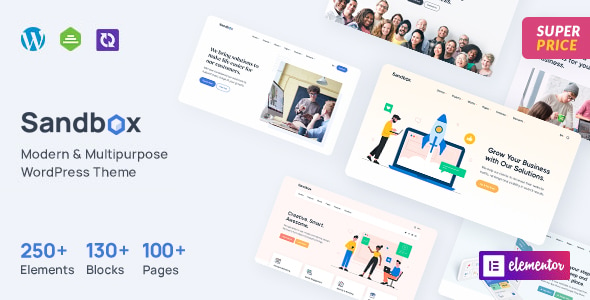
Sandbox is a modern multipurpose theme for startups, businesses, agencies, shops and more. It comes with the Elementor page builder, so you can design pages by dragging and dropping. It suits a small company that wants many layout options in one theme.
Key features
- 33+ ready homepage layouts in the demo content
- Header builder with 10+ layouts and footer builder with 8+ layouts
- Real-time customizer with 1,052+ Google Fonts and unlimited color options
- Works with WooCommerce, WPML and Polylang for shops and multilingual sites
- One-click demo content import and child theme support
View Sandbox to read the full details.
2. Outgrid: Elementor theme with a large section library
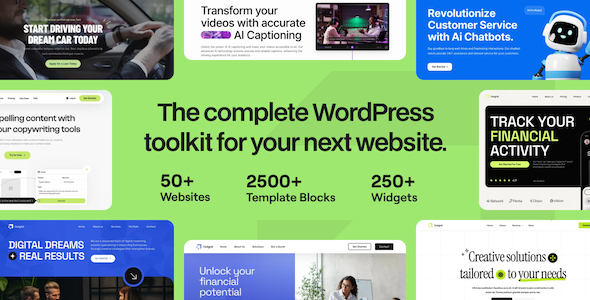
Outgrid is a multipurpose Elementor theme from UiCore. Its page lists small business websites, corporate sites, landing pages, authority blogs, sales pages and online shops. It also speaks to freelancers who build sites for clients.
Key features
- 500+ pre-designed sections and pages in the UiCore Template Library
- One-click demo import that installs the required plugins
- 200+ design elements for the Elementor page builder
- 26 shape dividers for eye-catching backgrounds
- Help Center and Knowledge Base linked from the product page
View Outgrid to see how the library works.
3. Sway: multipurpose theme with 60+ demos
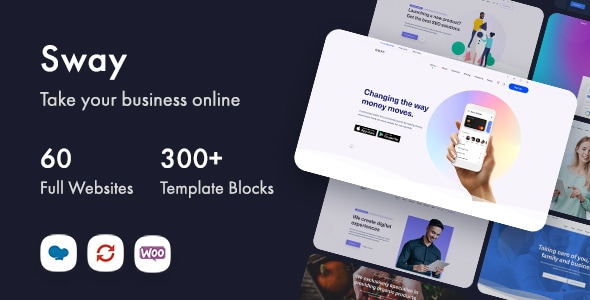
Sway has a modern, stylish design. Its page says it can help small businesses and corporate companies. It uses the WPBakery Page Builder instead of Elementor, so check which editor you prefer.
Key features
- 60+ complete demo websites for different industries
- 350+ pre-designed template blocks you can swap in
- Drag and drop editing with WPBakery Page Builder
- Responsive layouts for mobile and tablet
- Translation ready, plus Slider Revolution in the bundle
View Sway to browse the demo list.
4. Finanix: business theme for consulting and finance
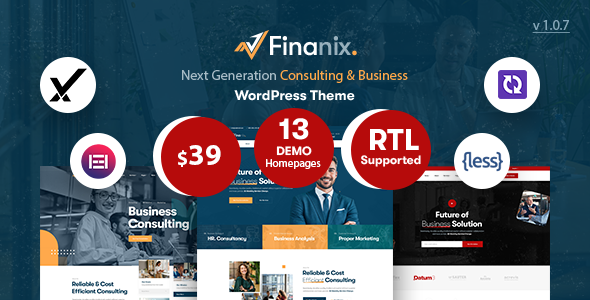
Finanix is a clean business theme built with Elementor. Its page says it suits corporate, consulting, finance and marketing agency sites. Its 13 homepages are fewer than the sets in Sandbox or Sway, so it is easier to review.
Key features
- 13 demo homepages, including 6 one-page versions
- 20+ inner pages such as services, portfolio and team
- 7 header layouts and 3 footer layouts
- RTL ready, with theme options for logo, colors, menu and blog layout
- One-click demo installer included
View Finanix to check the inner pages.
5. Finbiz: consulting theme with 24 demos

Finbiz is a professional theme for financial and business websites. Its page lists financial services, human resources, insurance, consulting and IT solutions. It is built with Elementor and offers 24 ready-made demos to start from.
Key features
- 24 complete demos and 30+ inner pages
- 8 header styles and 7 footer styles
- Complete RTL demo and a built-in mega menu
- Fully WooCommerce compatible
- Figma file included with the WordPress version
View Finbiz to compare it with Finanix.
Which theme fits your business?
Not sure where to start? Use these quick rules to narrow down the small business WordPress themes in this list.
- You want the most choice: Sway offers 60+ demos and Finbiz offers 24. Sandbox adds 33+ homepage layouts, so all three give you room to explore.
- You prefer Elementor: Sandbox, Outgrid, Finanix and Finbiz all use it. Sway uses WPBakery, so pick another theme if you want Elementor.
- You build sites for clients: Outgrid names freelancers on its page and ships a large section library. That helps you reuse blocks across projects.
- You run a consulting or finance firm: Finanix and Finbiz are written for those trades. Their demos already show services, team and contact pages.
- You plan to sell online later: Sandbox works with WooCommerce and Finbiz is fully WooCommerce compatible, so a shop can join the site when you are ready.
Each rule is a starting point. Open two demos side by side, then choose the one that feels easier to edit. That small test often settles the choice.
What to look for in small business WordPress themes
Use this checklist before you choose from any small business WordPress themes. Each point saves you time later.
- A page builder you can use: You will edit the site often, so pick an editor that feels natural to you.
- Ready demo content: A demo gives you a finished layout to adjust, so you do not start from a blank page.
- A clean mobile layout: Many visitors will open your site on a phone, so view the demo on a small screen.
- Speed: Heavy sliders slow a page down, so test a demo with Google PageSpeed Insights first.
- Search-friendly structure: Clear headings and fast pages help search engines read your site. The Google SEO starter guide explains the basics.
- Updates and support: Read what the product page states about updates, support and documentation.
- A trusted source: Buy from a store you trust. Our guide on how to check if a WordPress theme is safe lists seven steps.
Also compare more than one theme. A second option often shows what the first one lacks.
A simple launch plan for your new theme
Once you pick one of the small business WordPress themes above, follow a short plan. It keeps the project calm and focused.
- Write your core pages first: home, services, about and contact.
- Install the theme and import the demo that is closest to your goal.
- Replace the demo text and images with your own words and photos.
- Set your logo, colors and fonts in the theme options.
- Test every page on a phone, then check speed before you go live.
Take your time with step three. Real photos and plain words build trust, so they matter more than extra effects. After launch, review the site every few months and keep your theme and plugins updated.
When a custom build beats a ready-made theme
A ready-made theme works well for most small firms. In fact, small business WordPress themes cover the needs of most service companies. However, some projects outgrow them. For example, you may need a special booking flow, a unique brand layout or a link to another system.
In that case, a custom change costs less than fighting the theme. Our guide on theme customization versus a custom theme explains the trade-offs. You can also ask about our theme customization service if a ready-made theme is close but not perfect.
If your company is a consulting firm, see our notes on choosing a WordPress theme for a consulting firm. For larger company sites, read our list of corporate WordPress themes.
Frequently asked questions
What is the best WordPress theme for a small business?
The right choice is the theme that fits your trade, your skills and your budget. Compare two or three demos on your phone. Then pick the theme whose editor you find easiest to use.
Do small business WordPress themes need a page builder?
No, but a page builder makes editing easier. Sandbox, Outgrid, Finanix and Finbiz use Elementor. Sway uses WPBakery Page Builder. Both let you build pages without code.
Can I run an online shop with small business WordPress themes?
Some of them can. Sandbox works with WooCommerce, and Finbiz is fully WooCommerce compatible. Outgrid lists online shops among its use cases. Check each product page for details before you buy.
How do I start with a ready-made demo?
Each theme here offers a demo import. First, install the theme. Next, choose a demo and import it with one click. Then replace the text and images with your own. Our guide to choosing a WordPress theme for a business covers the steps before this one.
Should I choose a WordPress theme or an HTML template?
Choose a WordPress theme if you want to edit pages and add a blog or shop. An HTML template suits a simple static page. Our comparison of an HTML template and a WordPress theme helps you decide.
Next step
Pick one of these small business WordPress themes, import a demo and make it your own. Browse the full Agratri products page to compare more themes and templates. If you want help choosing or adjusting a theme, contact our team and tell us about your business.
Last reviewed: November 2026